

|
|
|
The CA ARCserve Backup Dashboard is a user interface tool that provides you with a snapshot overview of your backup infrastructure and your storage resource management (SRM) environment. This dashboard view lets you quickly and easily monitor relevant information to help you manage the performance and operation of your backup and SRM environment. Dashboard lets you quickly and easily monitor a wide variety of backup environment information and produce exportable reports for each monitored area.
Important! Make sure all CA ARCserve Backup services are up and running prior to using CA ARCserve Backup Dashboard. For more information about starting CA ARCserve Backup services, see the Administration Guide.
Note: Dashboard can be accessed only by users having CA ARCserve Backup Administrator, Monitor Operator, and Report Operator assigned user profile roles. For more information about User Profiles, see the Administration Guide.
To use CA ARCserve Backup Dashboard
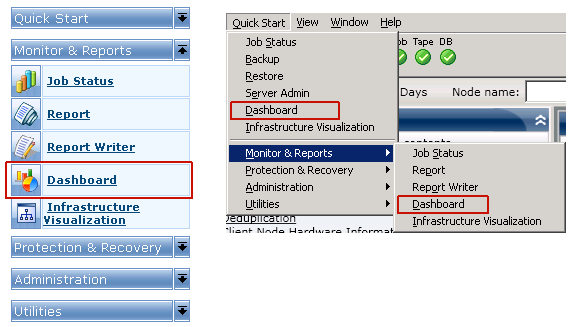
The CA ARCserve Backup Dashboard main screen appears, displaying a snapshot view that provides status reports of the specified CA ARCserve Backup environment.
Note: For more information about each of the displayed reports, see the corresponding report descriptions.
| Copyright © 2012 CA. All rights reserved. | Tell Technical Publications how we can improve this information |