

|
|
|
From the global options toolbar, you can select to schedule email settings for all Dashboard reports. The email scheduling option lets you create a schedule to send reports via email to specified recipient(s). These report emails are automatically updated, generated, and sent as scheduled. You can customize the schedule of these report emails to be sent at specified days and times, as a recurring task. You can also specify which report(s) is included in the email and who these reports are sent to. The selected reports are embedded within the email.
Configure an Email Report
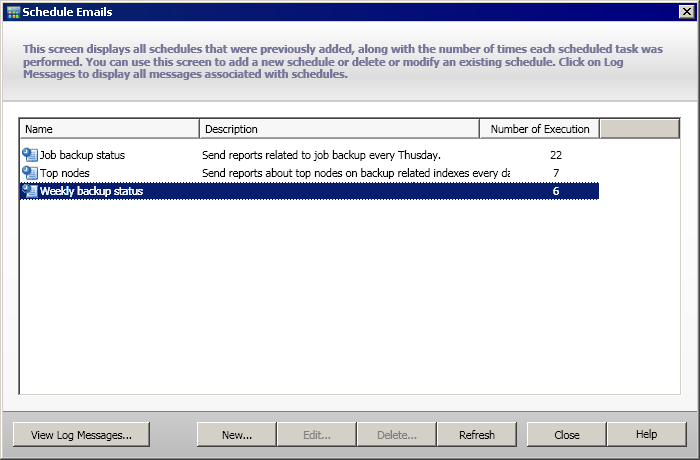
The Schedule Emails dialog opens.
| Copyright © 2012 CA. All rights reserved. | Tell Technical Publications how we can improve this information |