

|
|
|
CA ARCserve D2D creates point-in-time snapshot images of your backups each time a successful backup is complete. CA ARCserve Backup lets you open CA ARCserve D2D so that you can browse recovery points and submit CA ARCserve D2D restore jobs.
To restore data from CA ARCserve D2D recovery points
From the Quick Start menu, click Backup.
The Backup Manager window opens.
The source tree appears.
Note: If the CA ARCserve D2D server is assigned to a proxy server, expand the CA ARCserve D2D Proxy Servers object to locate the server.
Right-click the CA ARCserve D2D server that you want to recover, point to D2D Restore, and click D2D Recovery Points on the pop-up menu.
The Browse Recovery Points dialog opens.
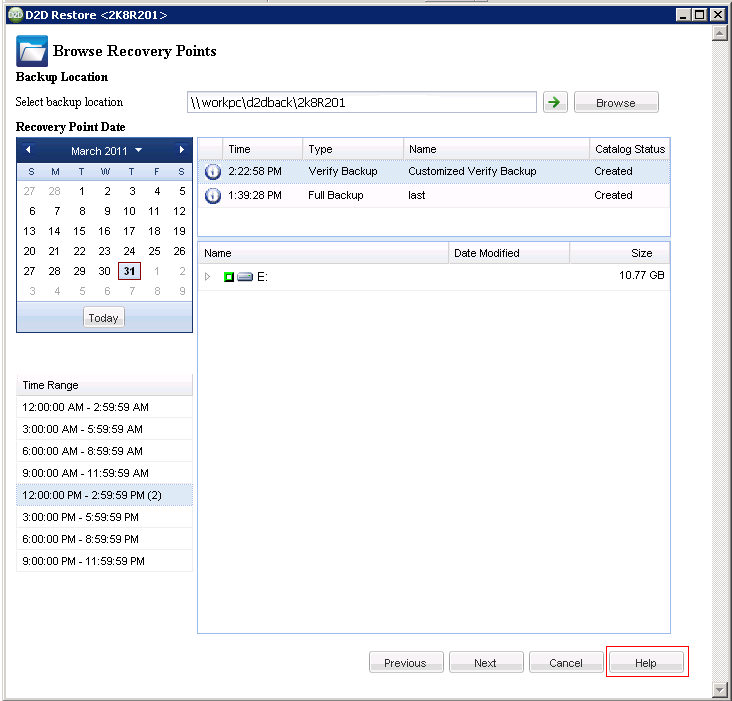
Note: For more information about how to submit the restore, click Help on the Browse Recovery Points dialog.
| Copyright © 2012 CA. All rights reserved. | Tell Technical Publications how we can improve this information |