

|
|
|
The agent lets you recover VMware virtual machine data using the methods described in the following illustration:
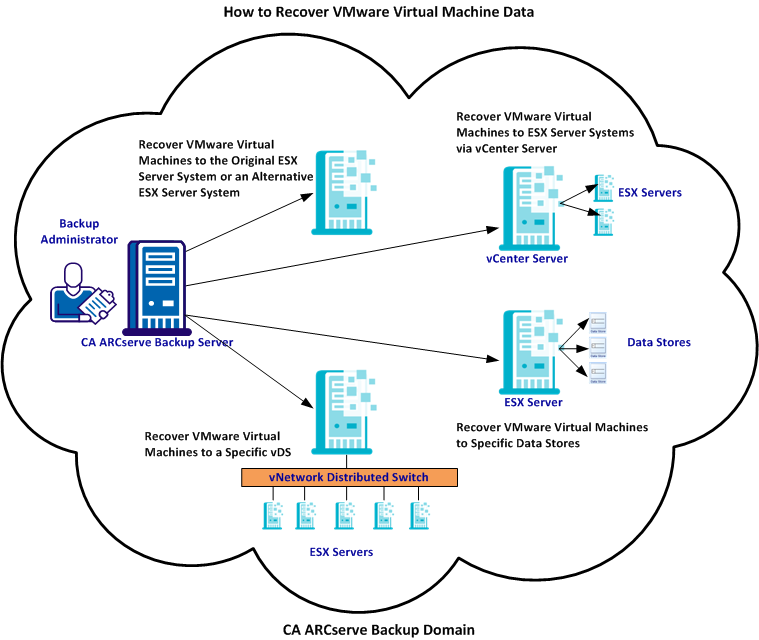
The following table describes the methods that you can use to recover VMware virtual machine data:
|
Method |
When to Use |
|---|---|
|
Use this method to recover virtual machines to the original or an alternative ESX Server system. |
|
|
Recover VMware Virtual Machines to ESX Servers via vCenter Server Systems |
Use this method to recover virtual machines that are connected to an ESX Server system using vCenter Server to facilitate the recovery operation. |
|
Use this method to recover the VMDK files to multiple data stores that exist on the destination ESX Server system. |
|
|
Use this method to recover virtual machines that are connected to source machines through vNetwork Distributed Switches (vDS). |
Note: VMware Converter version 3.0.2 and later must be installed on the backup proxy system. The agent uses VMware Converter to restore VCB images of virtual machines. VMware Converter is not required to restore virtual machine data that was backed up using VDDK. In addition, VDDK lets you perform VCB backups and recoveries. For information about VMware Converter, see http://www.vmware.com/products/converter.
| Copyright © 2012 CA. All rights reserved. | Tell Technical Publications how we can improve this information |