

|
|
|
CA ARCserve Backup lets you disable the maintenance notification message that appears near the Window systems tray.
To disable the maintenance notification message
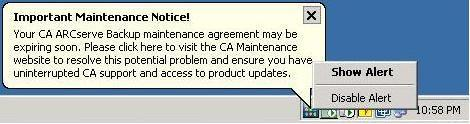
The maintenance notification message is disabled.
| Copyright © 2011 CA. All rights reserved. | Tell Technical Publications how we can improve this information |