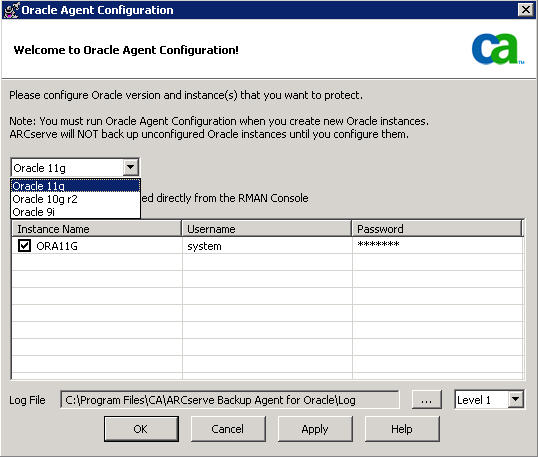
You can perform backup and restore jobs on multiple Oracle versions using the File-based mode.
The Oracle Agent Configuration dialog shows an additional option that lets you select which version of Oracle you want to back up and restore.
You can use the following procedure to backup and restore oracle instances of different versions.
Note: If you want to use RMAN Mode to backup and restore after you apply this procedure to protect multiple Oracle versions using the file-based mode, delete the file config.xml under the Oracle Agent installation directory, and then launch the Oracle Configuration utility.
Important! The CA ARCserve Backup Agent for Oracle in r12.5 and later, does not support the backup and restore operations on multiple and combined 32-bit and 64-bit versions of Oracle, simultaneously.
To backup and restore Oracle instances of different versions
The CA ARCserve Backup Oracle Agent Configuration dialog opens.
Note: The Oracle version you selected should be equal or larger than the Oracle you want to protect. For example, if you want to protect Oracle 9i and Oracle 10g r2, you can select Oracle 10g r2, not Oracle 11g.
C:\Program Files\CA\ARCserve Backup Agent for Oracle
The XML file opens.

Note: If there are many InstanceConfig XML elements you can use the find option to search for the necessary parameter.
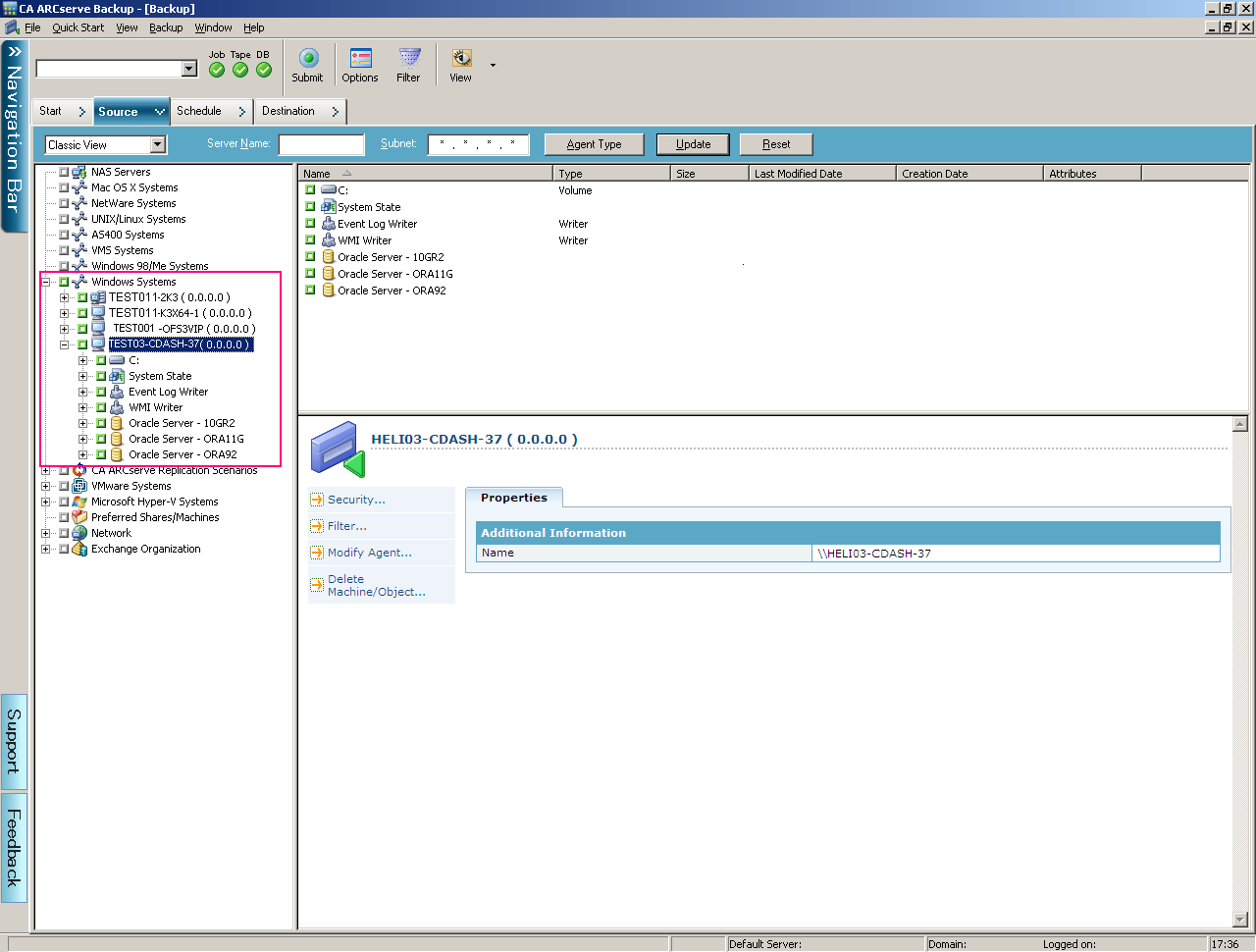
All the Oracle instances are now backed up and listed under the Oracle Server on the ARCserve Backup Manager.
| Copyright © 2010 CA. All rights reserved. | Email CA about this topic |