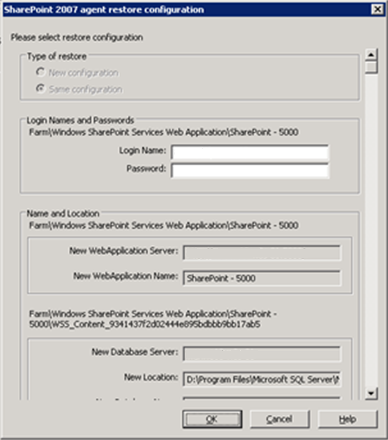
You can configure the restore settings using the Submit button on the Restore Manager.
The dialog contains the following information:
Lets you to keep the same restore Name and Location after restore or a different one.
Lets you to configure who can login to the Farm, Web Application, and SharePoint Service Provider. This credential information is always required to restore the data.
Lets you configure so that the name or location or both so that of one or more components will have new name or location after a backup job has been restored
Different components have different configuration items for name and location. The following table lists the components and their configuration items:
|
Component Type |
Configuration Item |
Comment |
|---|---|---|
|
Database |
|
|
|
UserProfileApplication |
New server name |
The new My Site address of UserProfileApplication after restore. |
|
Shared Search Index |
|
|
|
Web Application |
|
|
| Copyright © 2010 CA. All rights reserved. | Email CA about this topic |