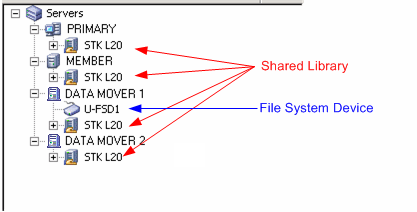
Data mover servers and their connected devices appear in the Device Manager window shortly after you register the data mover servers with the primary server.
The screen that follows illustrates how shared libraries and file system devices appear in the CA ARCserve Backup Device Manager window:
| Copyright © 2010 CA. All rights reserved. | Email CA about this topic |