Note: If the CA ARCserve Backup Installation Browser does not appear, run Setup.exe from the root directory on the installation media.
From the right column on the Product Installation Browser, click Install CA ARCserve Backup for Windows.
The Prerequisite Components dialog opens.
Be aware of the following behavior:
- The Prerequisite Components dialog opens only if Setup does not detect CA ARCserve Backup Prerequisite Components installed on the target computer.
- You must restart your computer and repeat the above steps if Setup installs Microsoft SQL Server 2008 Express Edition.
Note: If you are installing CA ARCserve Backup on the active node in a cluster-aware environment, the cluster resources are transferred from the active node to the passive node while the active node restarts. After the active node restarts, you should transfer the cluster resources back to the original active node.
The following list describes dialog-specific information about installing CA ARCserve Backup.
- Select Install/Upgrade Type dialog
When you select the remote installation option, you can install CA ARCserve Backup on multiple systems.
With remote installations, the target remote systems can consist of different ARCserve server types, different CA ARCserve Backup agents and options, or both.
Note: The setup program for cluster machines does not support remote installation of the CA ARCserve Backup base product or the CA ARCserve Backup agents. This remote install limitation for the CA ARCserve Backup agents (for example, the Agent for Microsoft SQL Server and the Agent for Microsoft Exchange Server) only applies if you use a virtual host. Remote installation of CA ARCserve Backup agents using the physical hosts of clusters is supported.
- Installation Type dialog
Lets you specify the type of CA ARCserve Backup components that you want to install, by selecting either the Express or Custom installation type.
Note: When you upgrade from a previous release, the installation wizard detects your current ARCserve configuration and selects the Installation/Upgrade type that is appropriate for your new installation. For more information, see Types of CA ARCserve Backup Server Installations and CA ARCserve Backup Server Options.
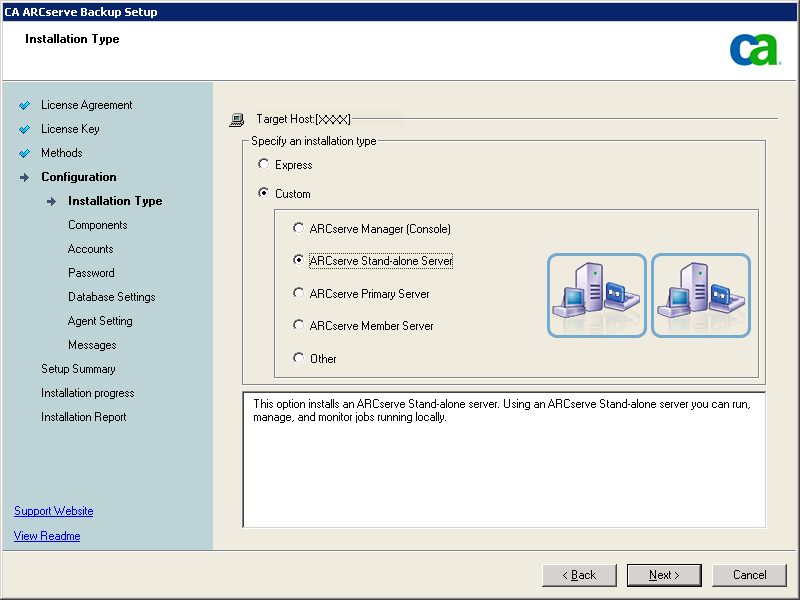
- Components dialog
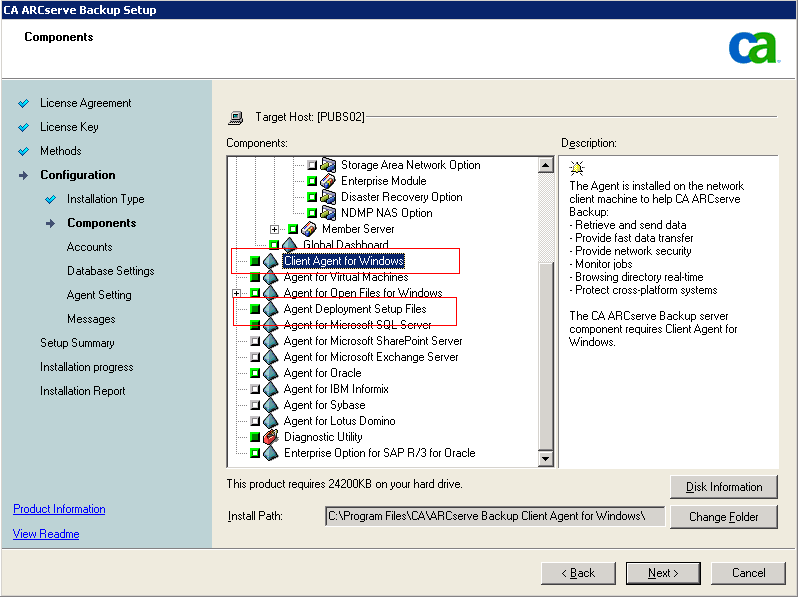
Lets you specify the CA ARCserve Backup components that you want to install on the target system.
Be aware of the following considerations:
- To install a primary server, you must install the CA ARCserve Backup Central Management Option on the primary server.
- To install member servers, the installation wizard must be able to detect the CA ARCserve Backup domain name and primary server name in your network. Therefore, you should complete at least one primary server installation before you perform member server installations.
- When you click the CA ARCserve Backup object or the Server object on the Select Products dialog, the installation wizard specifies the default Stand-alone Server installation components, regardless of the installation type that you specified on the Select Install/Upgrade Type dialog. To ensure that you are installing the correct components, expand the Server object, expand the object for the type of CA ARCserve Backup server that you want to install, and check the check boxes corresponding to the components that you want to install.
- Agent Deployment is a wizard-like application that lets you install or upgrade CA ARCserve Backup agents on multiple remote systems, after you install CA ARCserve Backup. To support this capability, Setup must copy Setup source files to the CA ARCserve Backup server. To copy the contents of the installation media to the CA ARCserve Backup server, you must select Agent Deployment on the Components dialog. When you select Agent Deployment, the length of time required to install or upgrade CA ARCserve Backup increases significantly.
- If you are performing a remote installation or a silent installation, do not install the CA ARCserve Backup Client Agent for Windows into the same directory as the CA ARCserve Backup base product.
- Global Dashboard can be installed on primary servers, stand-alone servers, and member servers. However, you cannot configure member servers to function as Central Primary Servers and Branch Primary Servers. For more information about Central Primary Servers and Branch Primary Servers, see the Dashboard User Guide.
The following diagram illustrates the default installation path for the Client Agent for Windows and Agent Deployment is specified:
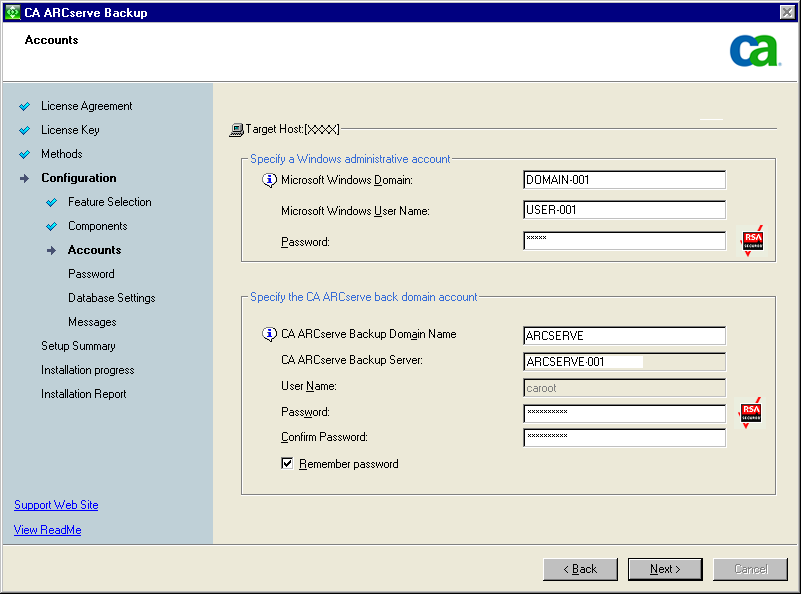
- Accounts dialog
Lets you set up your CA ARCserve Backup accounts.
If Setup detects a cluster-aware application running in your environment, and you want to install CA ARCserve Backup in the cluster-aware environment, check the Cluster Environment Installation option and specify the path to the shared disk where you want to install CA ARCserve Backup.
Note: CA ARCserve Backup server names and CA ARCserve Backup domain names cannot exceed 15 bytes. A name totaling 15 bytes equates to approximately 7 to 15 characters.
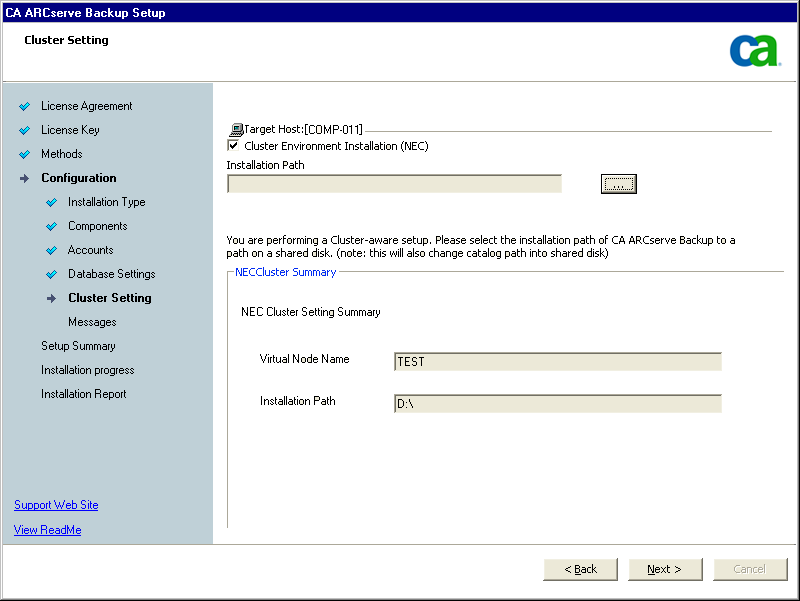
- Cluster Setting dialog
The Cluster Setting dialog opens only if Setup detects that you are installing CA ARCserve Backup into a cluster-aware environment. You must complete all fields on this dialog to continue.
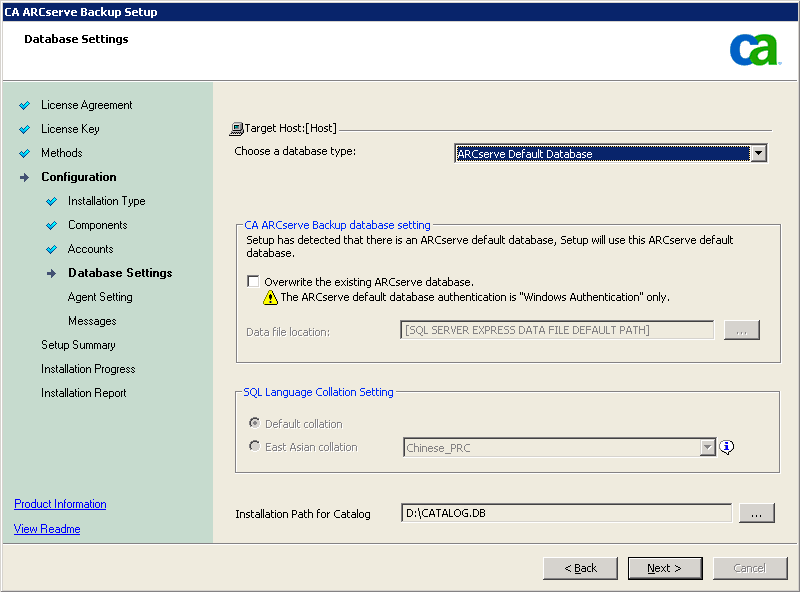
- Database Settings dialog
Lets you configure the CA ARCserve Backup database.
After you specify a database application (ARCserve Default Database or Microsoft SQL Server) complete the required fields on this dialog and click Next.
Note: If you protect data that contains Unicode-based characters from East Asian languages (for example, JIS2004) you must enable SQL collation to ensure that CA ARCserve Backup can search and sort the data. To do this, click East Asian collation and then select a language from the drop-down list.
- Messages dialog
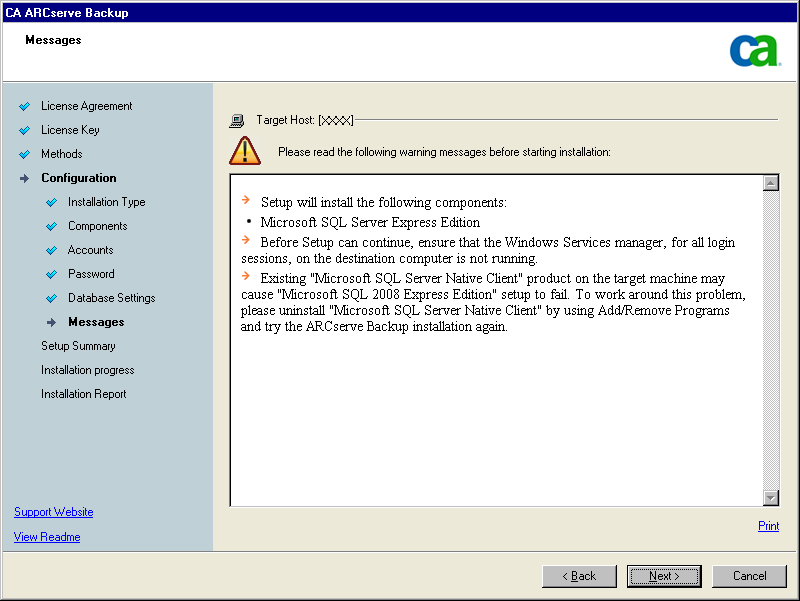
As you review the messages in the Messages dialog, you should attempt to resolve the problems at this time.
The following graphic illustrates the Important Warning Messages dialog:
- Setup Summary dialog
To modify the components that you want to install, click Back as often as necessary to return to the dialog containing the installation options that you want to change.
- Installation Report dialog
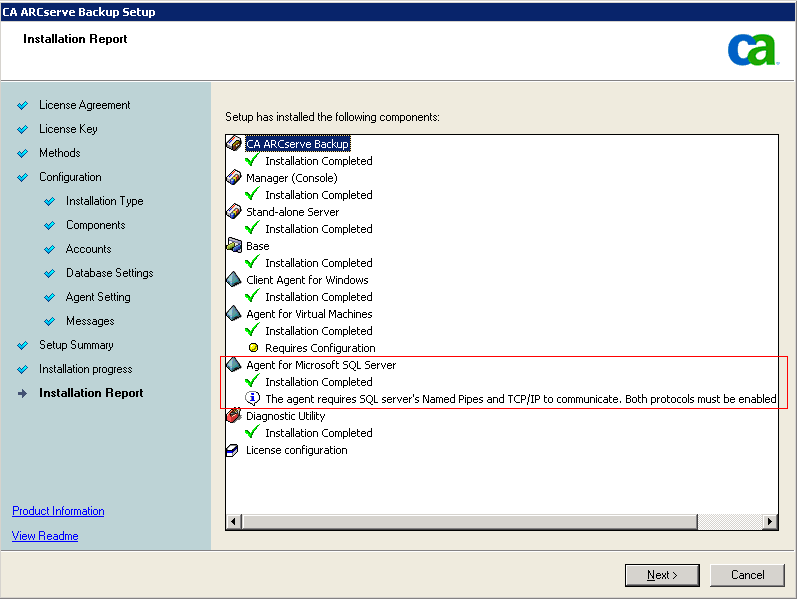
If any components you select require configuration, Setup displays the necessary configuration dialogs at the end of the installation. You can configure the component immediately or configure it later using Device Configuration or Enterprise Module Configuration. For example, if you are using a single-drive autoloader that requires configuration, Setup lets you start Device Configuration by double-clicking the message for it on the Install Summary dialog.
The diagram that follows illustrates the Installation Report dialog. The Agent for Microsoft SQL Server requires configuration.
Note: You may be required to restart the server after you install CA ARCserve Backup. This depends on whether all of the files, services, and registry settings have been updated on the operating system level.
- Installation Summary dialog
If any components you select require configuration, Setup displays the necessary configuration dialogs at the end of the installation. You can configure the component immediately or configure it later using Device Configuration or Enterprise Module Configuration. For example, if you are using a single-drive autoloader that requires configuration, Setup lets you start Device Configuration by double-clicking the message for it on the Install Summary dialog.
- License Verification dialog
To enter license keys, locate the components, agents, and options that you are installing, select the Use License Key option, and enter the license key for the component.
Click Continue to close the License Verification dialog.
Note: Repeat Steps 1 to 5 to install CA ARCserve Backup on the passive node.
After the cluster-aware installation is successfully finished, you need to create new start.bat and stop.bat scripts for the applicable server:
- For all member servers and non-SQL Express primary servers, use the start.bat scripts contained in start.bat Script Changes for Member Servers and Non-SQL Express Primary Servers.
- For all member servers and non-SQL Express primary servers, use the stop.bat scripts contained in stop.bat Script Changes for Member Servers and Non-SQL Express Primary Servers.
- For SQL Express primary servers only, use the start.bat script contained in start.bat Script Changes for SQL Express Primary Servers.
- For SQL Express primary servers only, use the stop.bat script contained in stop.bat Script Changes for SQL Express Primary Servers.