

|
|
|
Because you typed F against the second action, CA 2E displays the Edit Action - Function Name window. For the second action, you will specify the action to take when the first condition is not true. The action is to return a value of zero in the Finished race function field. You will again use the *MOVE built-in function.
Leave the Function file field blank and specify the *MOVE function.
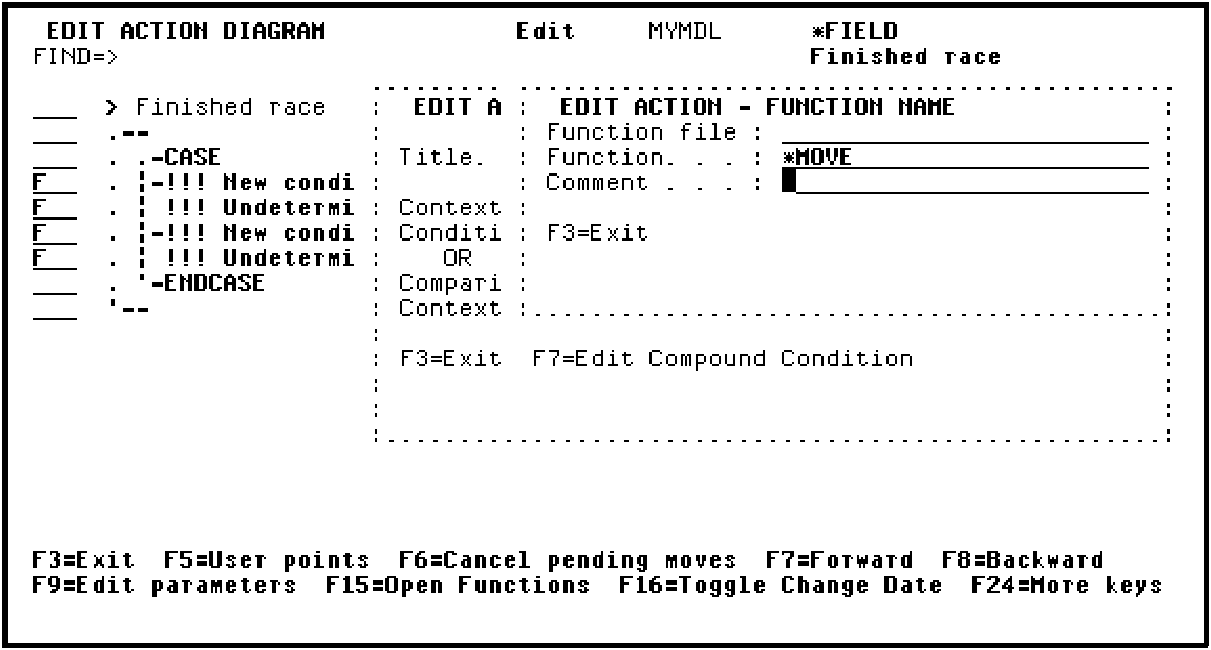
Press Enter to enter parameter details for the *MOVE function.
Type the details for the *MOVE parameters.
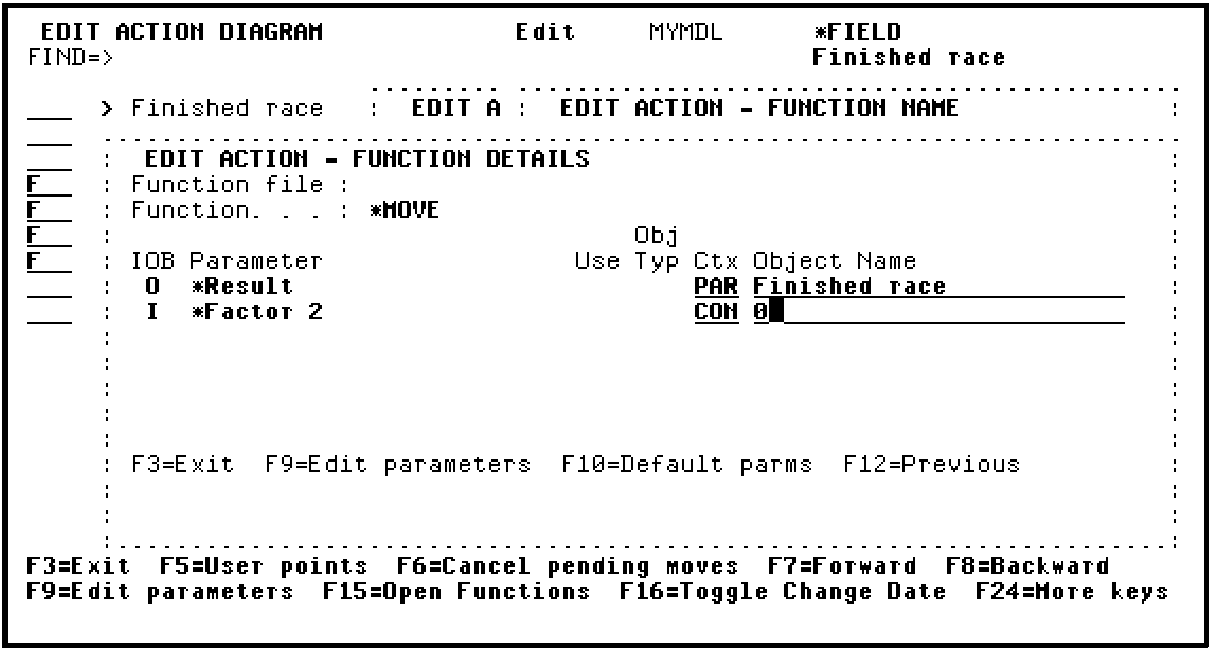
Press Enter to accept the parameters and return to the Action Diagram Editor.
| Copyright © 2011 CA. All rights reserved. | Tell Technical Publications how we can improve this information |