

|
|
|
Press F2 to display the Animate Function Panels panel. Since you have already converted the CA 2E device design to a Toolkit panel design you can either accept the defaults or type N for the Convert Model panel field. Typing N can save time. In this case accept the defaults.
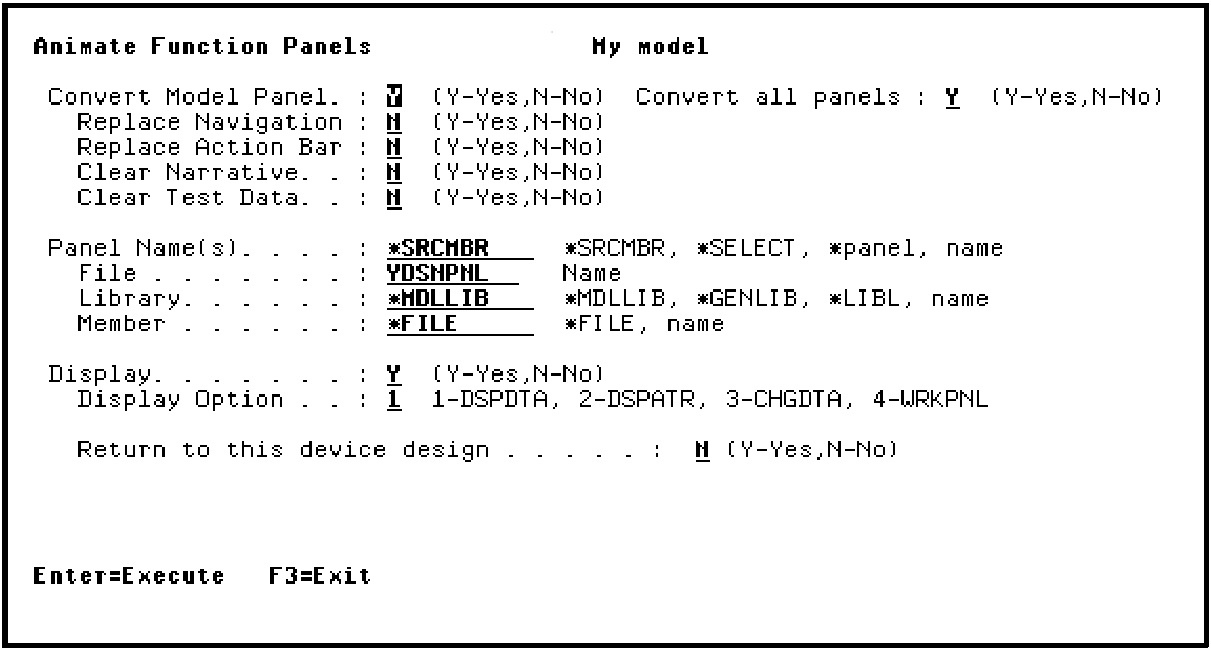
Press Enter. The Toolkit panel design for the Edit Horse function displays showing the sample data you entered earlier. Input-capable fields are indicated by underscores; output-only fields are shown in black.
| Copyright © 2011 CA. All rights reserved. | Tell Technical Publications how we can improve this information |