

|
|
|
In this step you will use the Edit Screen Format Details panel to make the following two changes to improve the appearance of the Edit Horse panel.
To reposition the labels on the second and third lines, you will type B against each of the Dam and Sire fields. Note that later in this tutorial you will use the Edit Screen Entry Details panel to overwrite the wording of the field labels.
Specify Y for the Blank line between records field and type B against each of the Dam and Sire fields.
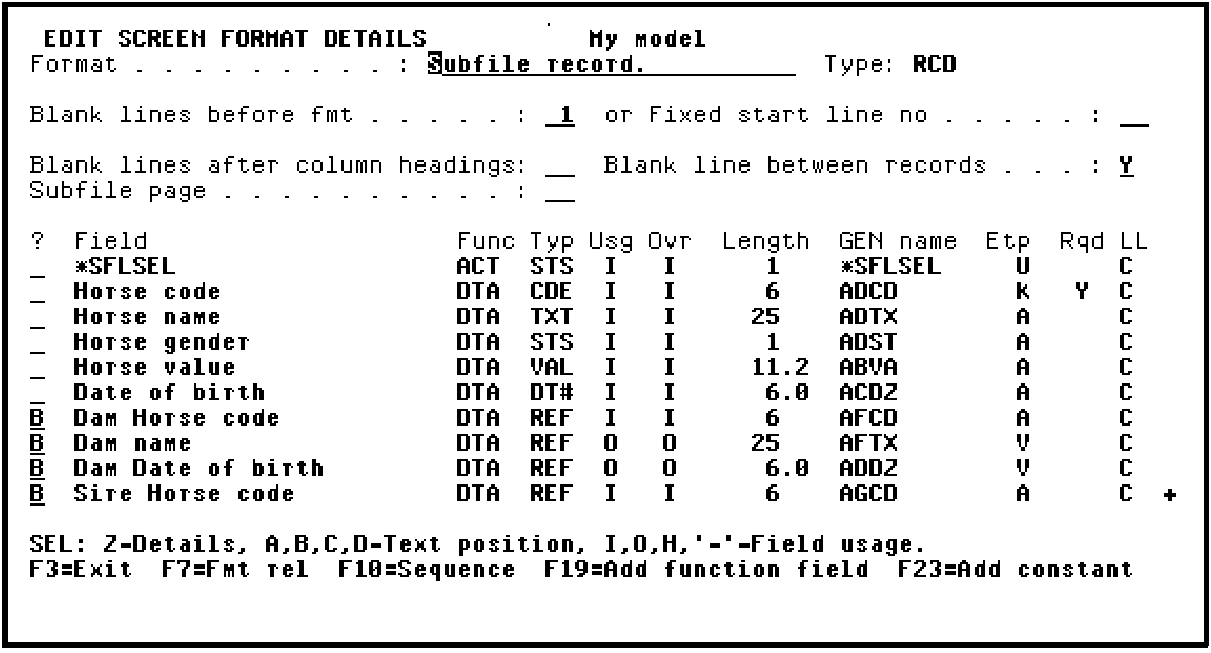
Press Roll Up to display more fields. Type B as shown to position the labels for the Sire name and Sire Date of birth before the field on the same line.
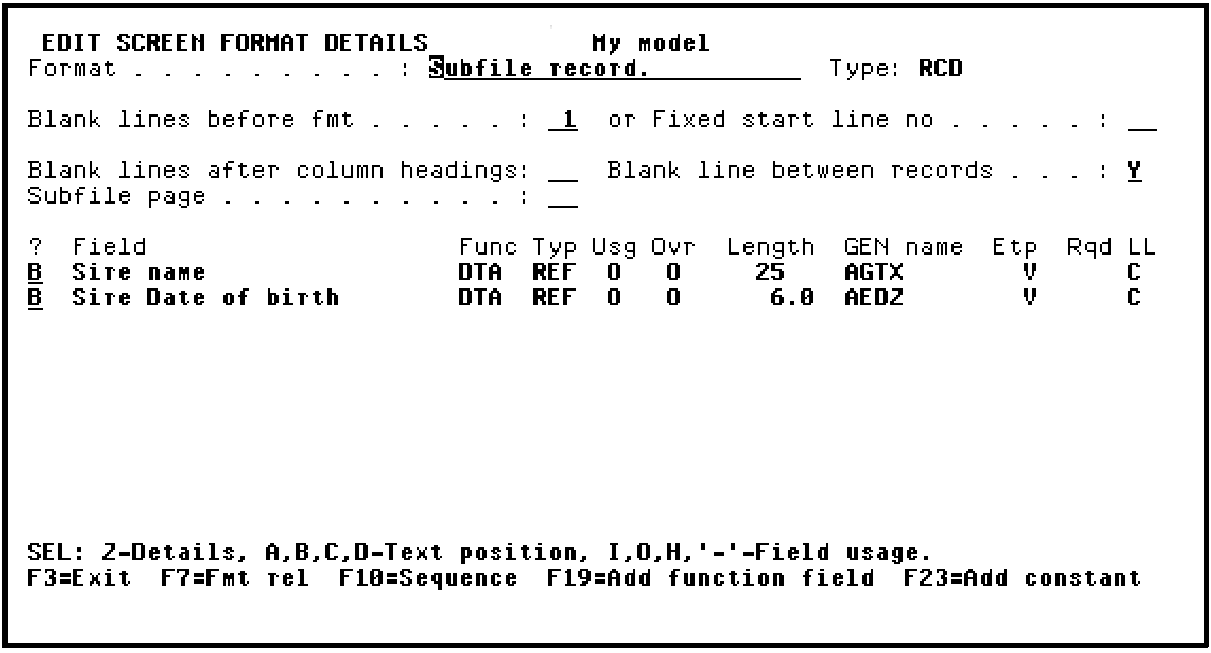
Press Enter to confirm the changes. Note that the value in the LL (Label Location) column for each of the Dam and Sire fields has changed from C to B. Press Roll Down to view the preceding panel.
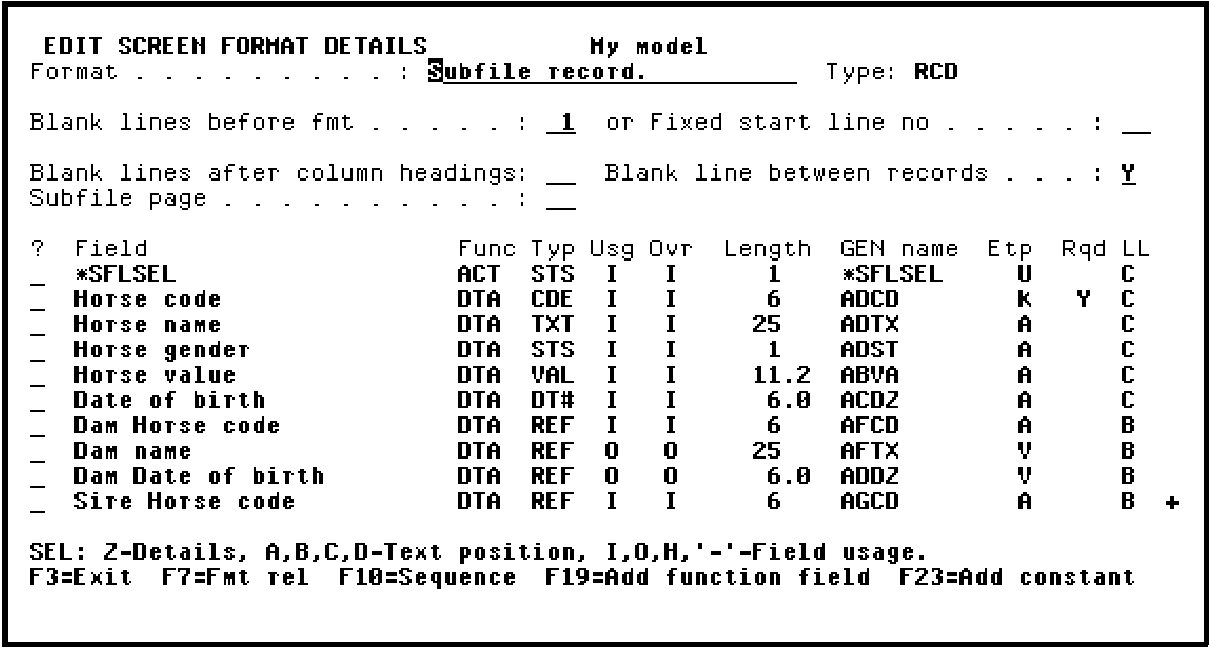
Press F3 to return to the Device Design Editor.
| Copyright © 2011 CA. All rights reserved. | Tell Technical Publications how we can improve this information |