

|
|
|
Option 7, Routing entries, on the Display Subsystem Description panel defines how CA 2E is to start a job in QBATCH. When you choose option 7, the Display Routing Entries panel displays:
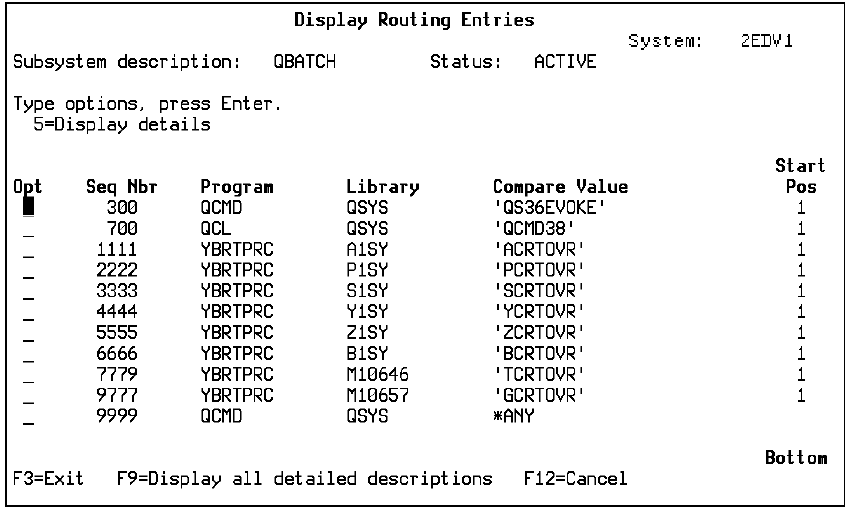
CA 2E compares the routing data from the job description to each Compare Value in the list as follows:
Initially, the generation job, YGENSRC, uses the Class assigned to the routing entry of YCRTOVR. The program YBRTPRC is associated with the routing entry of YCRTOVR; program YBRTPRC is the pre-processor for YGENSRC. The last step in pre-processing assigns new routing data and issues the i OS Reroute Job (RRTJOB) command. This command reroutes the job, depending on the YCRTENV model value setting. If model value YCRTENV is set to QCMD (IBM i mode), routing data is set to QCMDB.
The subsystem compares the new routing data with the Compare Values in the routing entries list.
If you want to change the run priority of YGENSRC, modify the Class associated with each of the following routing entries.
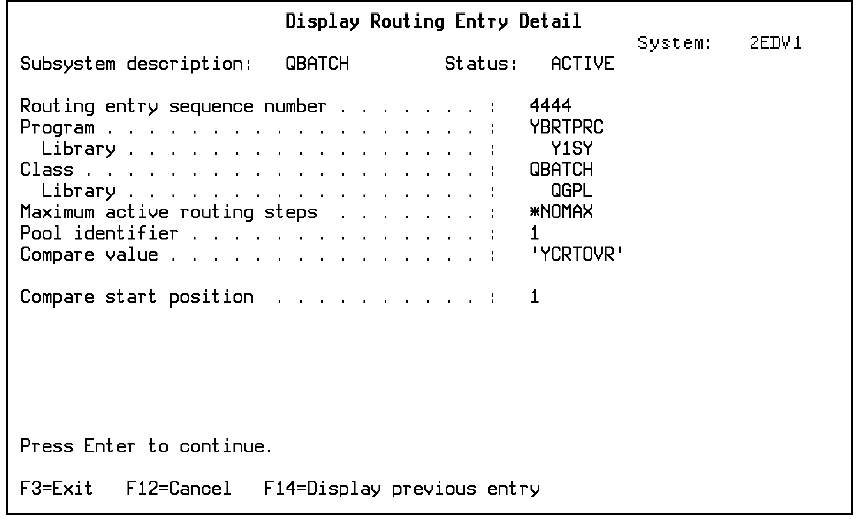
To determine the Class, look at the details for the routing entry associated with YCRTOVR. On the Display Routing Entries panel, enter 5 beside the routing entry. This Display Routing Entry Detail panel displays (for this example, the Class is QBATCH).
Let us return to the Display Routing Entries and enter 5 beside the routing entry associated with *ANY. The Display Routing Entry Detail panel displays, with Class QBATCH.
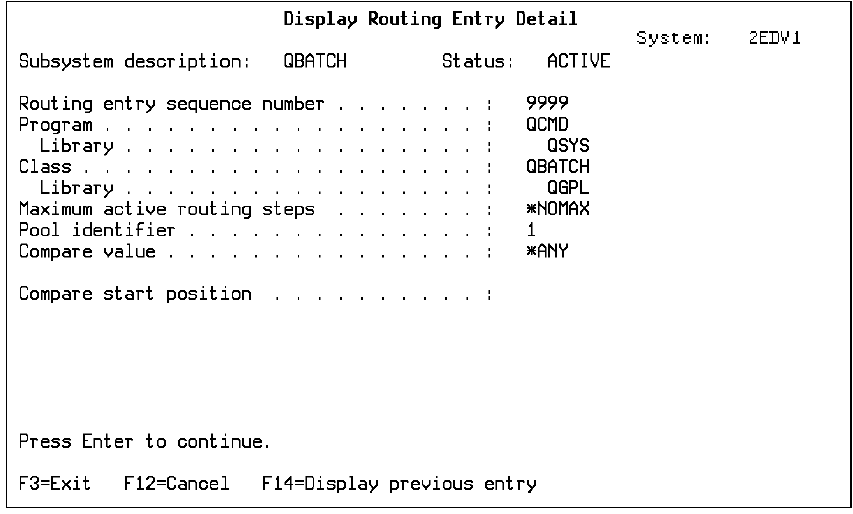
The run priority defines the job priority (1 through 99). A value of 1 for the run priority gives a job the highest priority in competing for machine resource with other jobs.
To display the Run priority of each program, you can invoke the Display Class Information panel from an i OS command line by entering:
DSPCLS Class
where Class is the value shown on the Display Routing Entry Detail panel for that routing entry.
| Copyright © 2011 CA. All rights reserved. | Tell Technical Publications how we can improve this information |