

|
|
|
This example shows how to:
Create a field; for example, DDS BARCODE (CODEABAR).
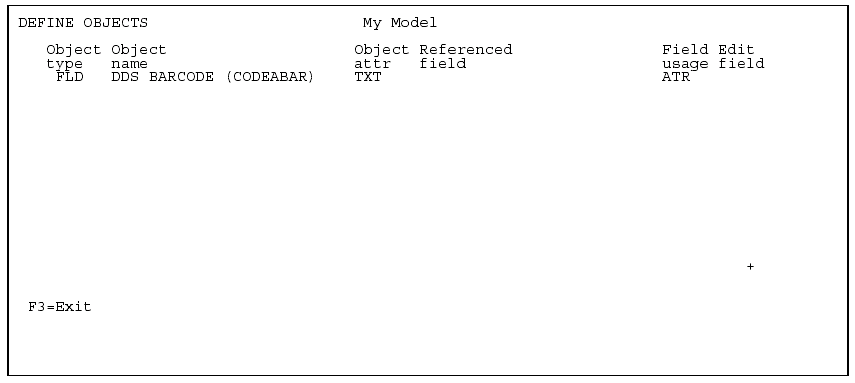
The following steps show how to attach a device user source function to this new field. Type Z against the field.
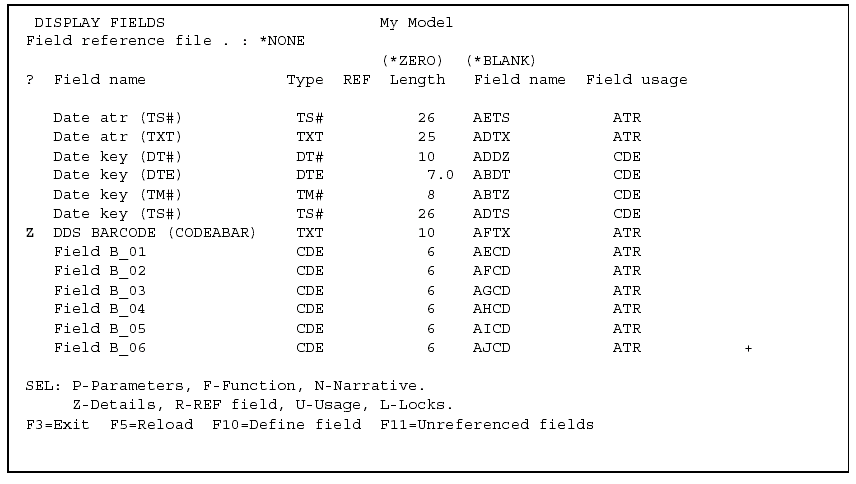
Press Enter to display the Edit Field Details panel.
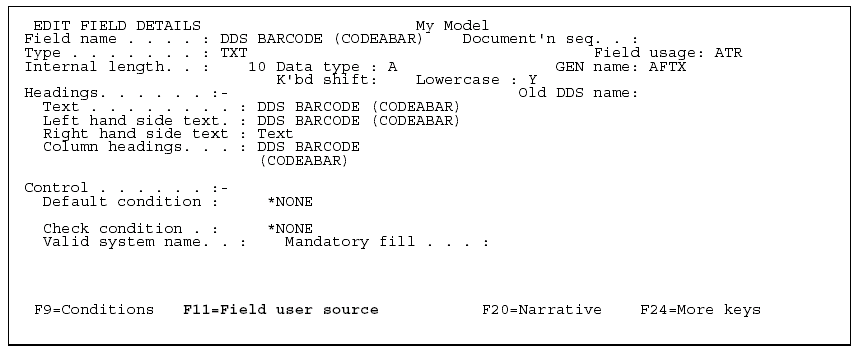
Press F11 to display the Field-Level Device Functions panel.
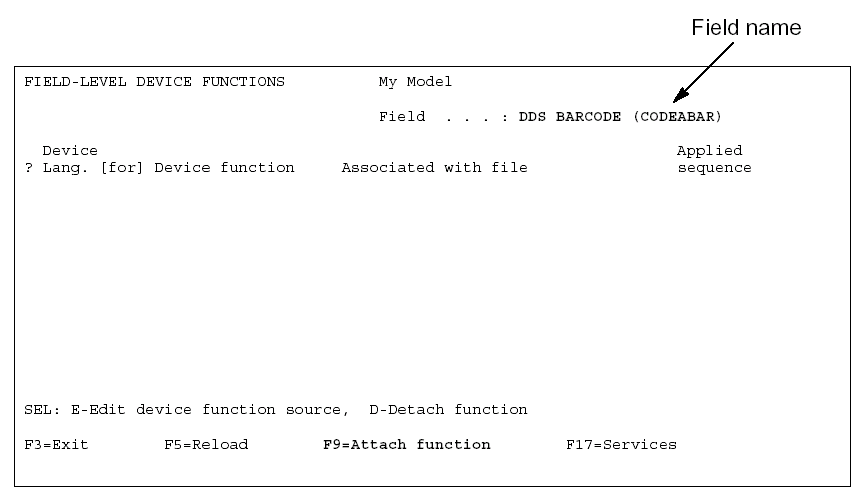
Press F9 to define and attach the device user source function.
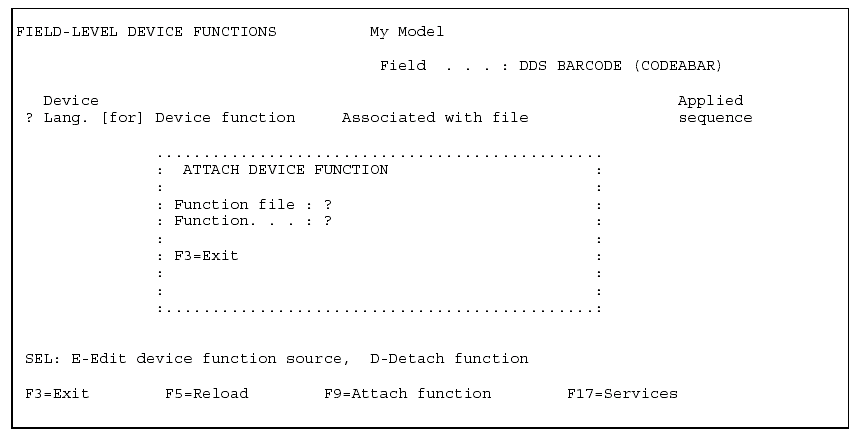
Specify the file to which the new function is attached, in this case File B, and create a new EXCUSRSRC function. Type Z against the new function.
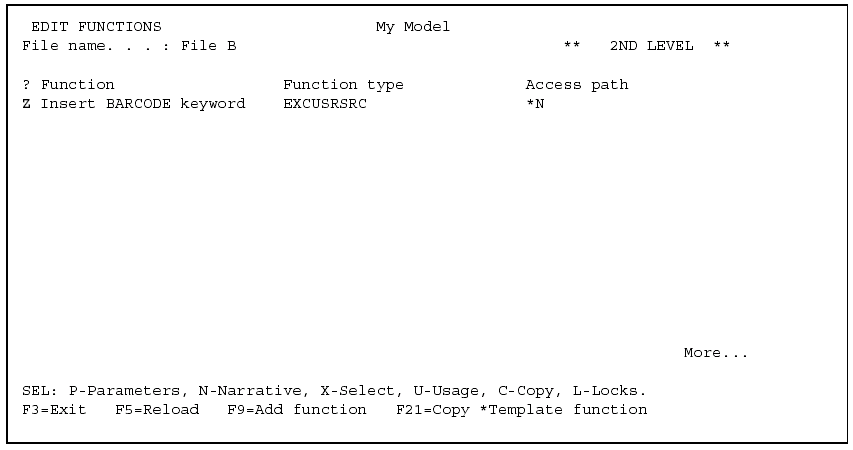
Press Enter.
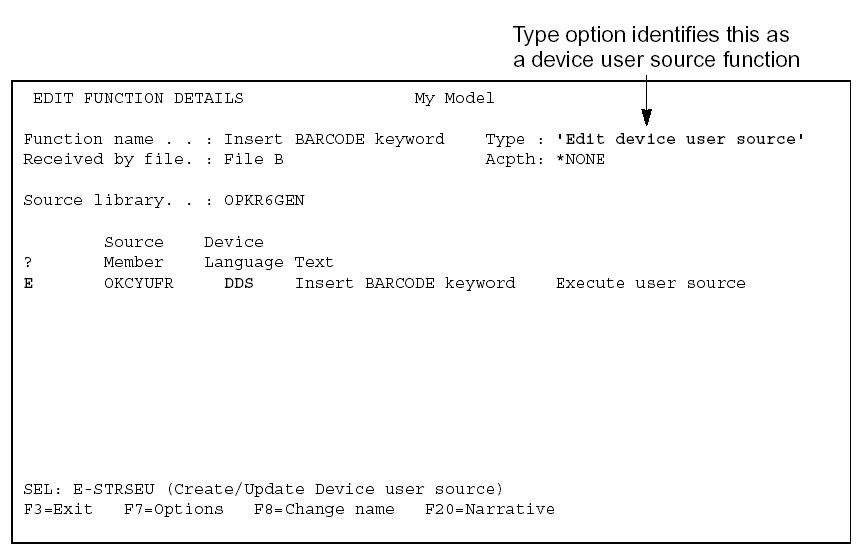
Type DDS instead of the current HLL name and press Enter. Note that the Type option changes from ‘Execute user source’ to ‘Edit device user source.’ Type E against the function to invoke SEU for the source member.
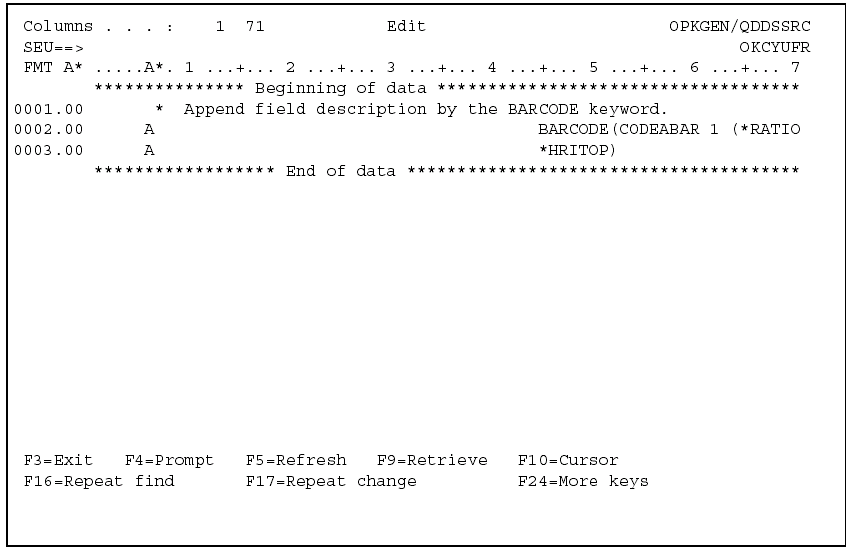
Type the DDS source statements that you want applied to device entries derived from the DDS BARCODE (CODEABAR) field.
Exit and save the function. On the Edit Functions panel, select the device user source function.
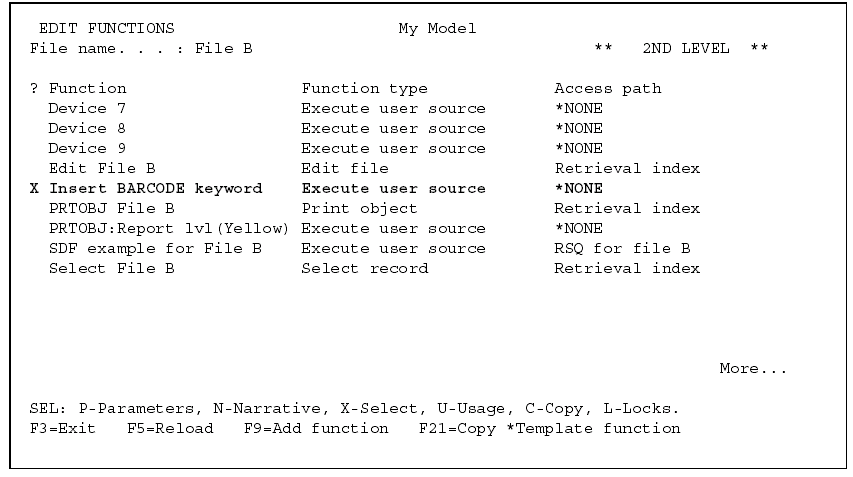
Press Enter.
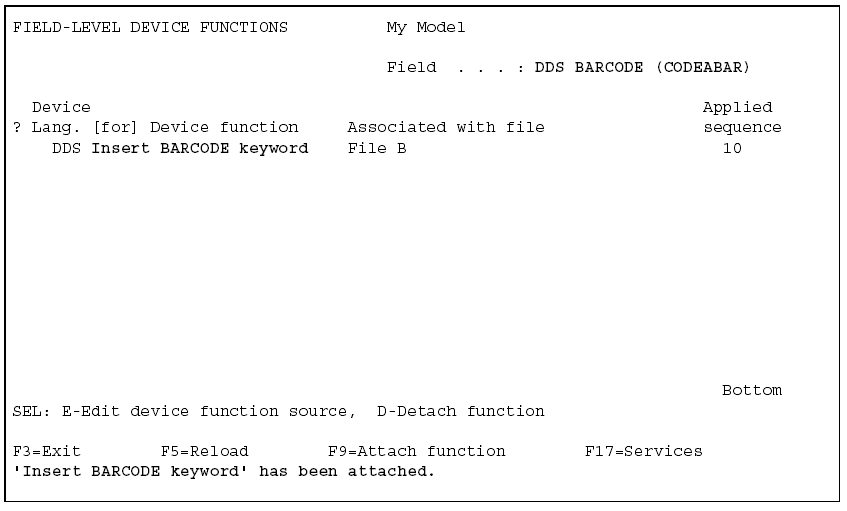
From this panel you can
Enter the device design of an existing PRTFIL function.
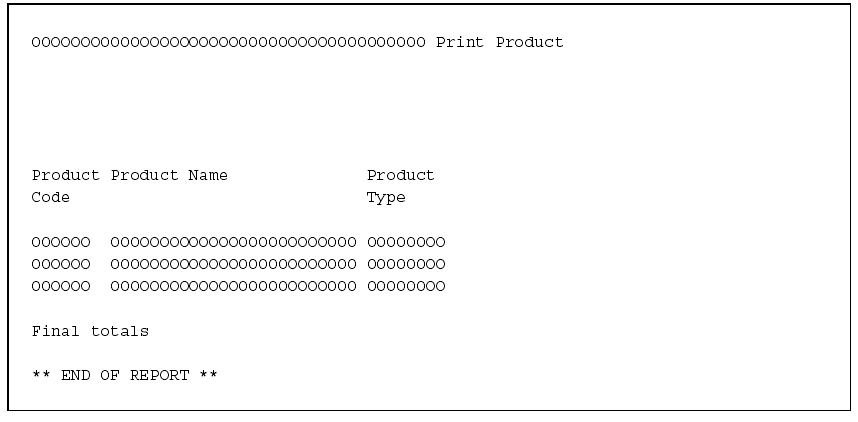
As an example, you can add DDS BARCODE (CODEABAR) as a function field to the device design (press F19).
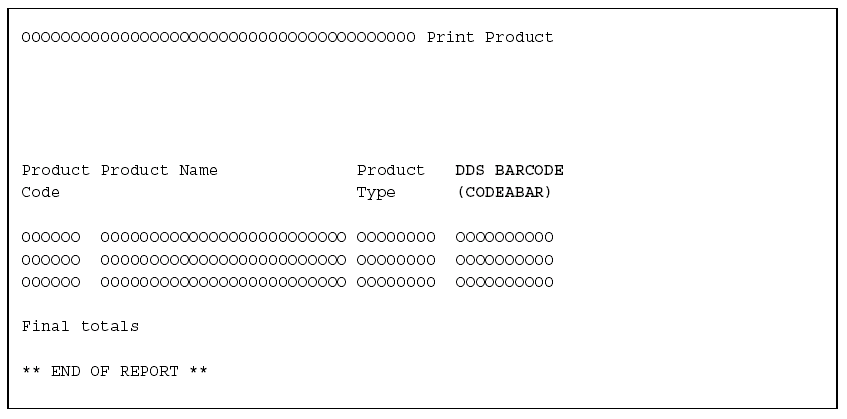
Position the cursor on the DDS BARCODE (CODEABAR) entry and press Enter to display the Edit Report Entry Details panel.
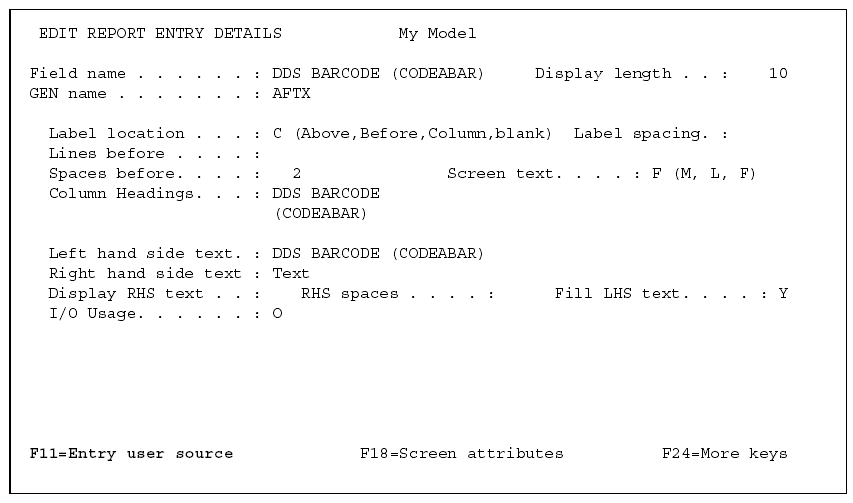
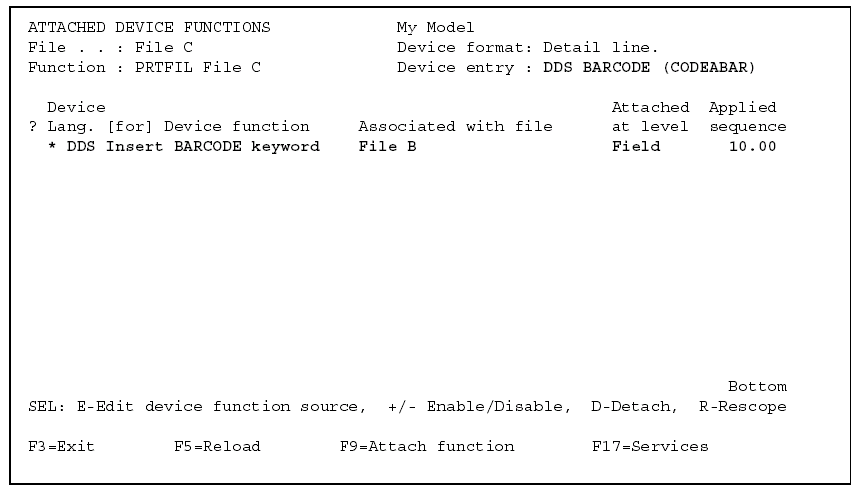
Press F11 to view the device user source attachments for the entry.
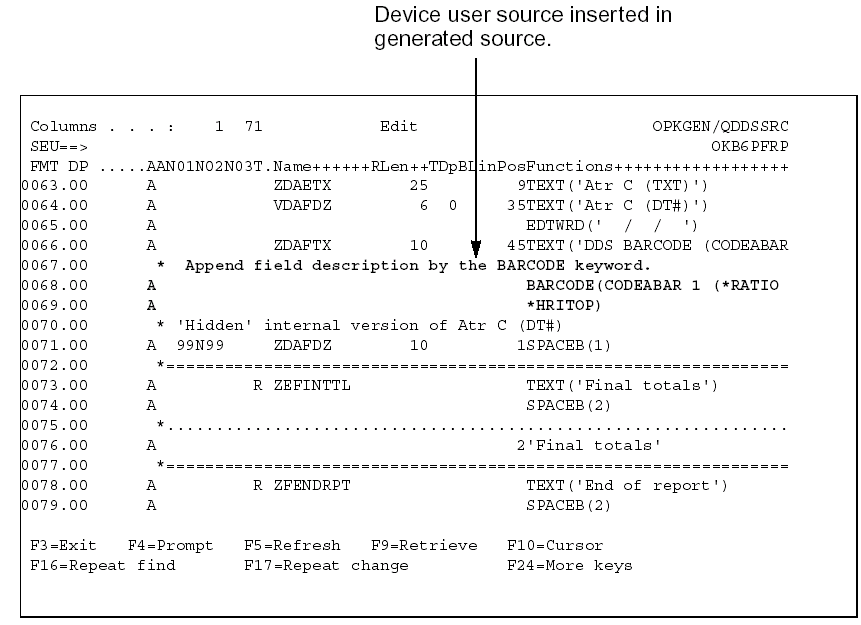
View the generated result.
| Copyright © 2011 CA. All rights reserved. | Tell Technical Publications how we can improve this information |