Modifying Device Designs › Editing Report Designs › Example 1: Simple Report Design › Modified Report Layout
Modified Report Layout
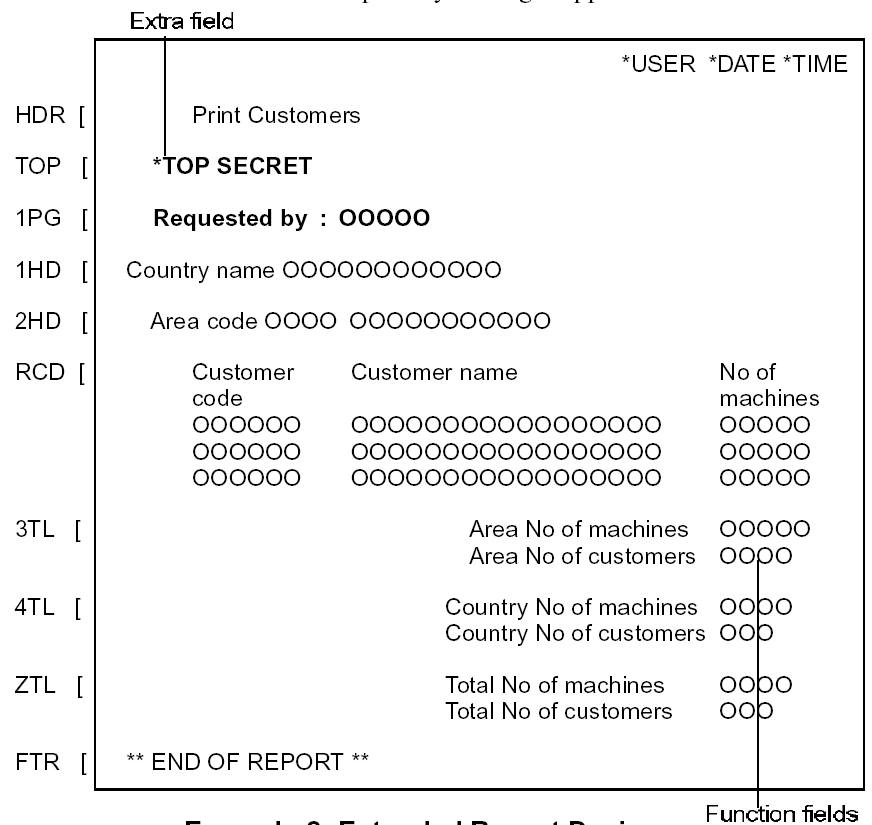
You can modify the default report layout as follows:
- To add explanatory information on the page headings (for example, *TOP SECRET)
- To suppress certain fields, or field text (for example, the Country Code field and the text on the Area Name field) and the fields displayed by default on the total formats.
The modified report layout might appear as follows: