

|
|
|
The majority of the CA 2E standard functions have default action diagrams. The exceptions are Execute User Source (EXCUSRSRC) and Execute User Program (EXCUSRPGM). Portions of the action diagram are essential to the program’s function, and as such, are not alterable. However, you can insert logic into the action diagram to add processing that is specific to that function.
The areas that you can modify in the action diagram are called user points. The user points vary for each standard function and are accessed according to the function. User points are identified in the action diagram of a function by arrows, made up of a chevron and two dashes, in the right margin of the Edit Action Diagram panel.
To list and access the user points in an action diagram, press F5 to display the available user points for the function.
The Action Diagram User Point window appears.
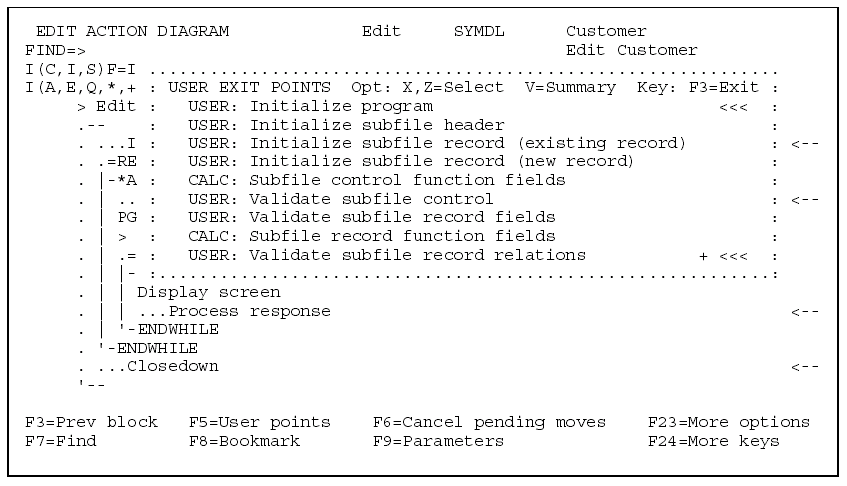
If the user points contain user-defined action diagram statements, they are identified by three chevrons in the right margin of the window.
For more information on individual user points for each function type, see the Understanding Action Diagrams User Points topic, later in this chapter.
| Copyright © 2011 CA. All rights reserved. | Tell Technical Publications how we can improve this information |