

|
|
|
The fundamental components of this solution are the new 2E commands that encapsulate programmatic invocation of IBM's Web Service Administration scripts.
IBM ships the following scripts.
|
Script |
Purpose |
|---|---|
|
installWebService.sh |
Create and deploy a Web Service |
|
listWebServices.sh |
List Web Services deployed to a Web Services Server |
|
startWebService.sh |
Start a deployed Web Service |
|
stopWebService.sh |
Stop a deployed Web Service |
|
uninstallWebService.sh |
Uninstall a deployed Web Service |
|
createWebServicesServer.sh |
Create Web Services Server* |
|
deleteWebServicesServer.sh |
Delete Web Services Server* |
|
startWebServicesServer.sh |
Start Web Services Server* |
|
stopWebServicesServer.sh |
Stop Web Services Server* |
Note: It is not the intention of this phase of the CA 2E Web Service support to mimic all functionality available within the Web Administration interface. This release allows a Web Service to be modeled and to be installed to/uninstalled from a Web Services Server.
Two new 2E commands mirror and invoke functionality of two of the scripts:
|
2E command |
Purpose |
|---|---|
|
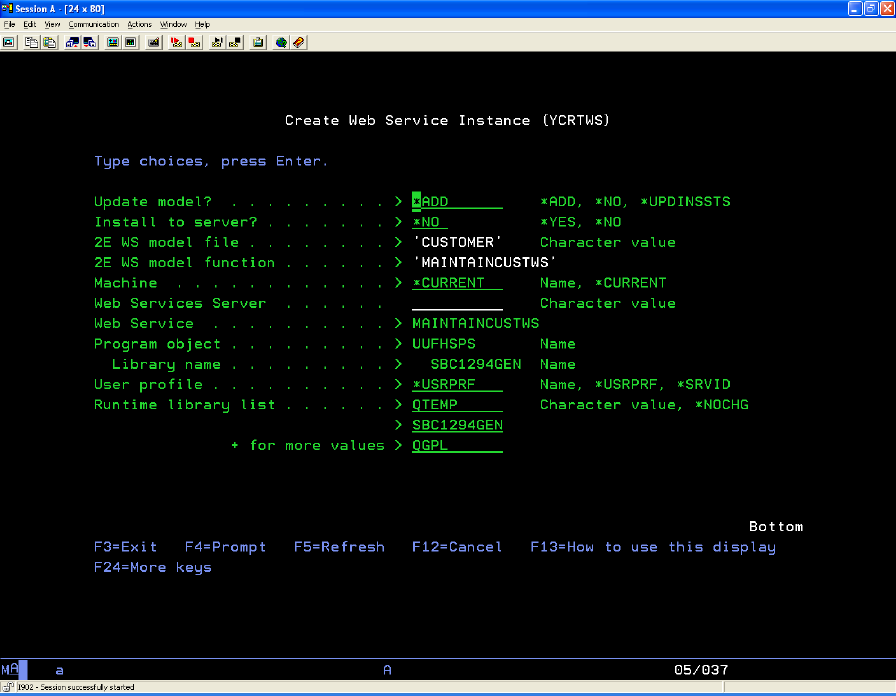
YCRTWS |
Create and deploy a Web Service (installWebService.sh) |
|
YUNSWS |
Uninstall a deployed Web Service (uninstallWebService.sh) |
Note: The Web Service Administration interface (and therefore) scripts cannot operate on a remote environment; i.e. all WS work is for local machine.
A new 2E function type of Web Service (WEBSRV) is available within the model.
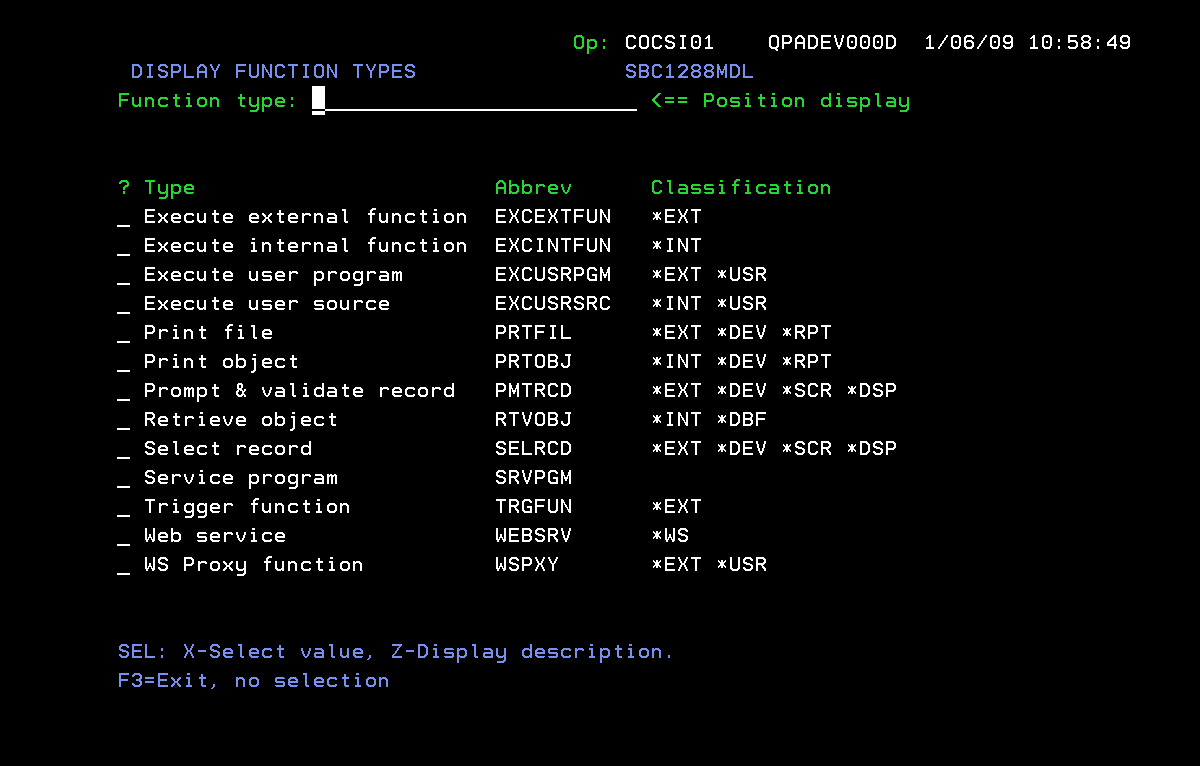
A function of type Web Service cannot be generated and does not have an action diagram. Its purpose is to serve as an umbrella for any number of Web Services Instances. A Web Service instance corresponds to a web service that is or can be deployed to a Web Services Server. The function of type web service has a customized EDIT FUNCTION DETAILS panel. This panel stores the default name of any created web service instance, as well as the 2E file/function that represents the target Service Program to be exposed.
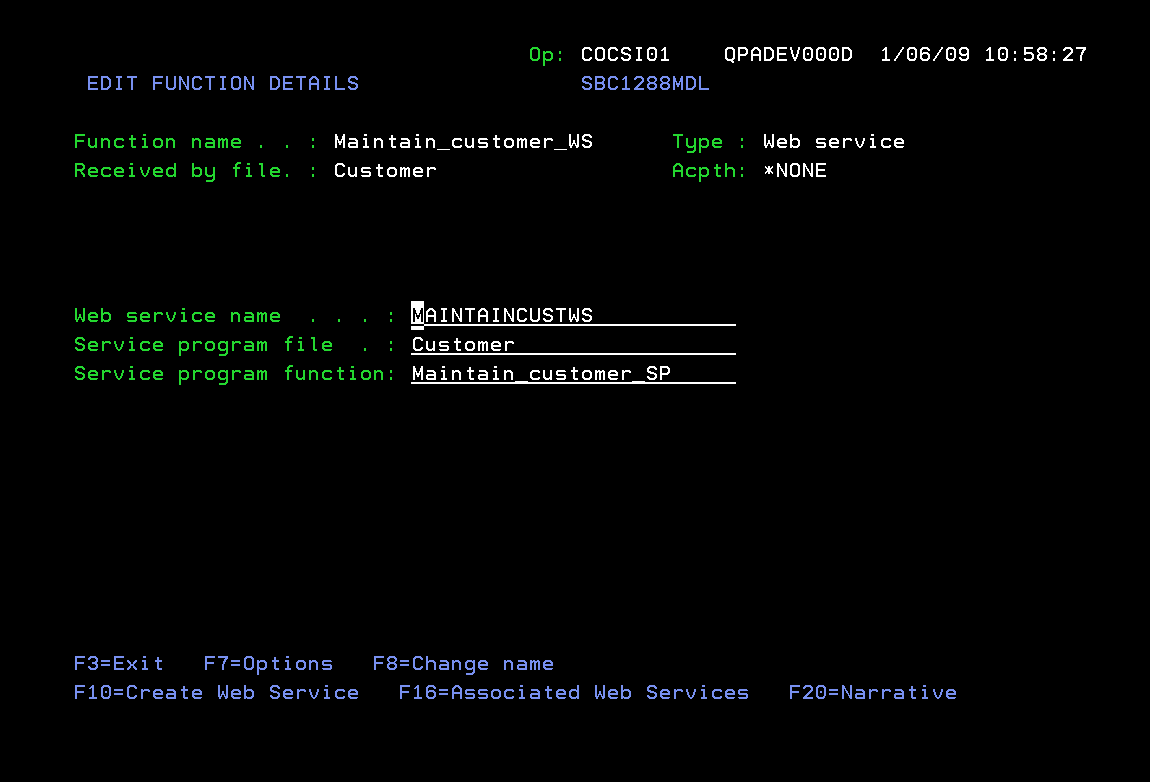
The EDIT FUNCTION DETAILS panel provides option F10 to invoke YCRTWS.
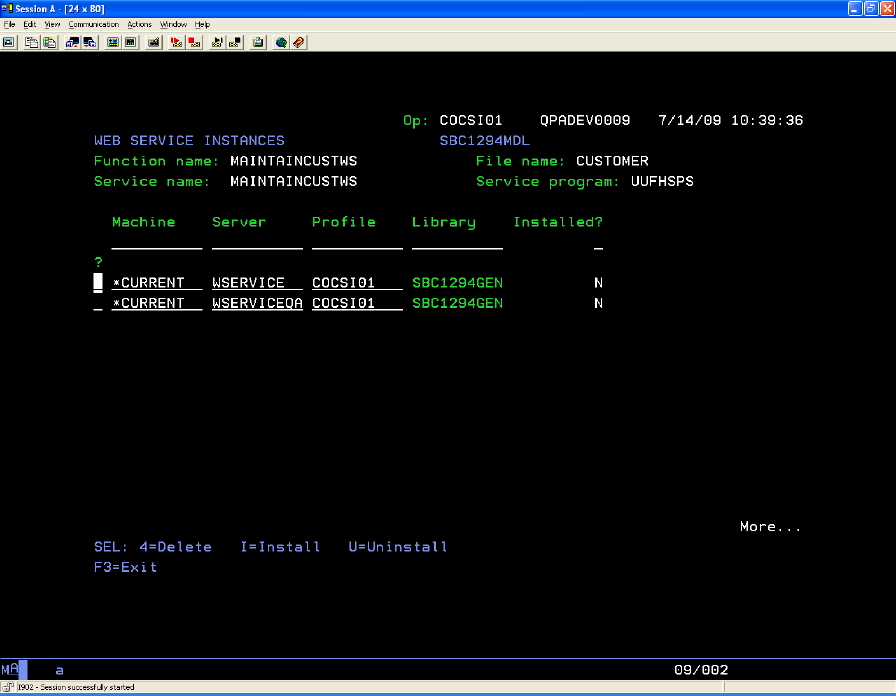
The EDIT FUNCTION DETAILS panel also provides option F16 to invoke WEB SERVICE INSTANCES PANEL:
| Copyright © 2011 CA. All rights reserved. | Tell Technical Publications how we can improve this information |