

|
|
|
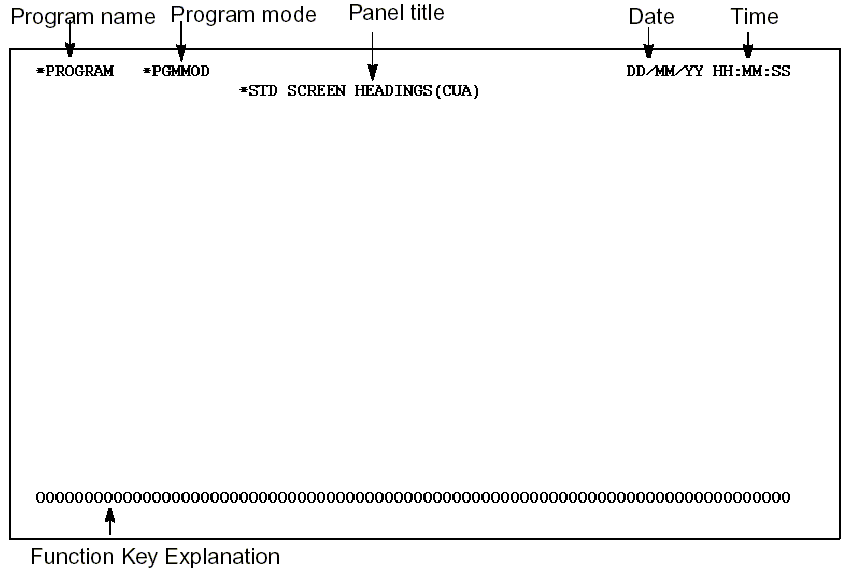
The Define Screen Format (DFNSCRFMT) function defines a standard panel header and footer for use by other functions that have panel designs attached to them.
There are three default Define Screen Format functions shipped as standard header/footer formats for the device function panel design:
You can modify these shipped versions as well as add your own DFNSCRFMT functions for use in specific function panel designs. You can use the Edit Function Options panel of any panel function to change the DFNSCRFMT function used for that particular function.
When a model is created, the defaults depend on the value given to the DSNSTD parameter on the Create Model Library command, YCRTMDLLIB.
Use the function options for the DFNSCRFMT functions to set the defaults to be used by newly created device functions.
Attach the DFNSCRFMT function to the physical (PHY) file access path of the *Standard header/footer file. This function type does not allow parameters. It does not have an action diagram.
If you define an additional DFNSCRFMT function, all the fields from the *Standard header/footer file are available on both formats of the function. You can rearrange or suppress these fields.
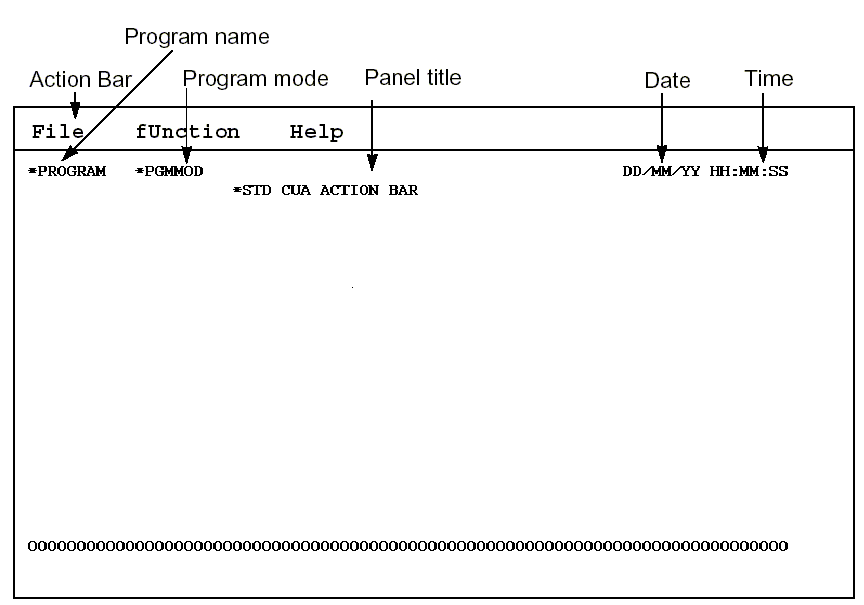
By default, the header and footer formats are as follows:
Header and footer formats have instruction lines that are hidden by default.
The following is an example of a CUA Entry Standard panel.
The following is an example of a CUA Text Standard panel.
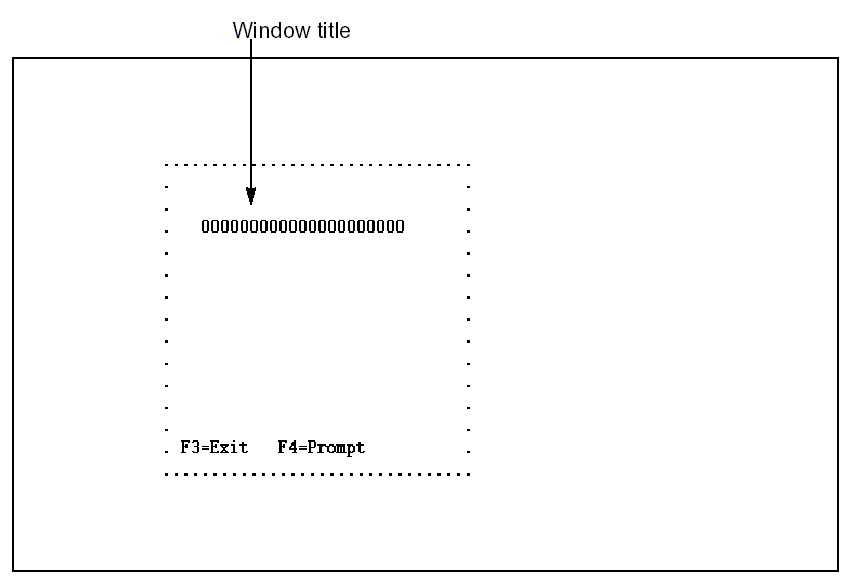
The following is an example of a CUA Text Standard window.
For more information on the function options available, see Identifying Standard Header/Footer Function Options in the chapter, "Modifying Function Options."
| Copyright © 2011 CA. All rights reserved. | Tell Technical Publications how we can improve this information |