

|
|
|
To edit other functions while in the action diagram of a particular function, execute the following steps:
The Open Functions panel appears. From the Open Functions panel you have the ability to perform any edit functions on open functions, including changing parameters, accessing diagrams, editing source, displaying usages and references, editing narrative, and changing the device design.
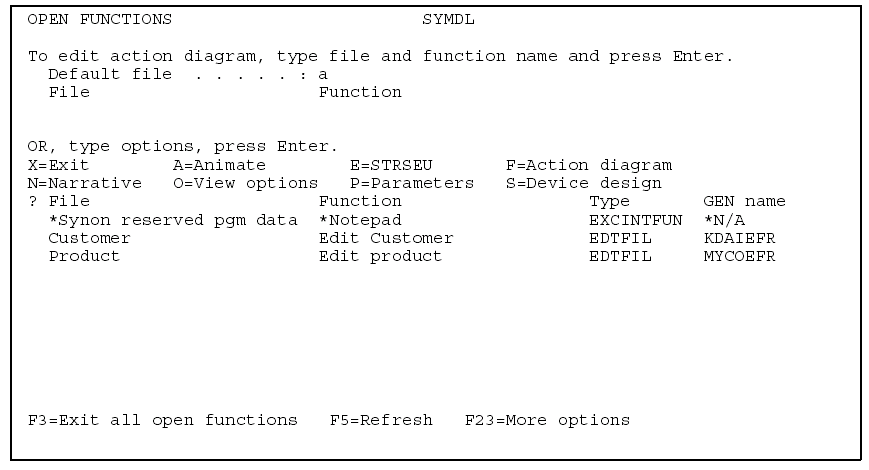
If the function is not already on the open function list, CA 2E loads the action diagram of the open function and you can perform any necessary editing.
If it is already on the list, you are returned to the function. You can press F15 at any time during the edit to view the open functions on the Open Function panel.
Note: Pressing F15 to display the Open Functions panel disrupts the zoom sequence of any open function. Each zoomed function appears as a separate open function and you do not automatically return to the calling function on exit. You instead, return to the Open Function panel from which you must explicitly reselect the calling function.
The function whose action diagram you modified and saved no longer appear on the Open Functions panel, as it is no longer open.
Only those functions you opened and have not exited remain open and appear on the Open Functions panel.
| Copyright © 2011 CA. All rights reserved. | Tell Technical Publications how we can improve this information |