

|
|
|
In the action diagram, type PR against the block you want protected. The Edit Block Protection panel appears for the selected construct or block.
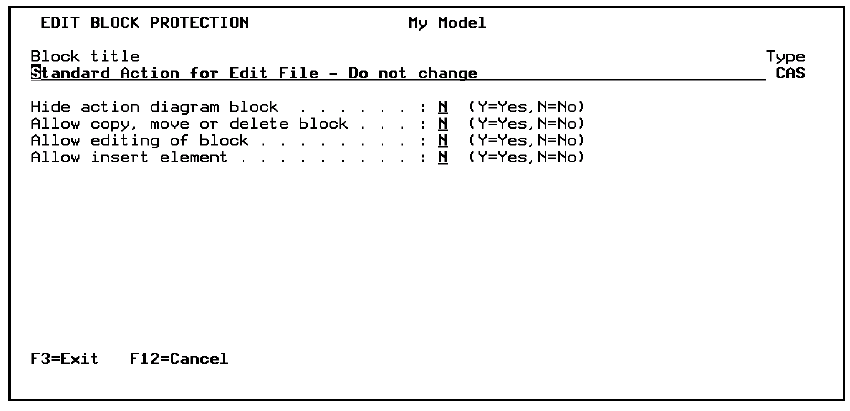
Note that the type of the block or construct appears; in this example, it is CAS for case block. The type can be ACT, CAS, ITR, SEQ, or TXT.
|
Protection Type |
Description |
Valid Blocks |
|---|---|---|
|
Hide |
If Y, the protected block is hidden. |
Case Iteration Sequence |
|
Allow Copy, Move or Delete |
If N, developers are prevented from copying, moving, or deleting the block. |
All |
|
Allow Edit |
If N, developers are prevented from editing or inserting a block. |
All |
|
Allow Insert |
If N, developers are prevented from inserting blocks within the protected block. Note: To insert a block, both Allow Insert and Allow Edit must be set to Y. |
Case Iteration Sequence |
Note: Only the specified block is protected, not blocks embedded within.
Protected blocks appear as if they were part of the action diagram prototype.
| Copyright © 2011 CA. All rights reserved. | Tell Technical Publications how we can improve this information |