Copying Functions › Creating a New Function from One That Exists › From the Exit Panel
From the Exit Panel
To copy a function from the Exit panel of the action diagram editor:
- Exit the Edit Action Diagram panel of the function you want to copy. The Exit Function Definition panel appears.
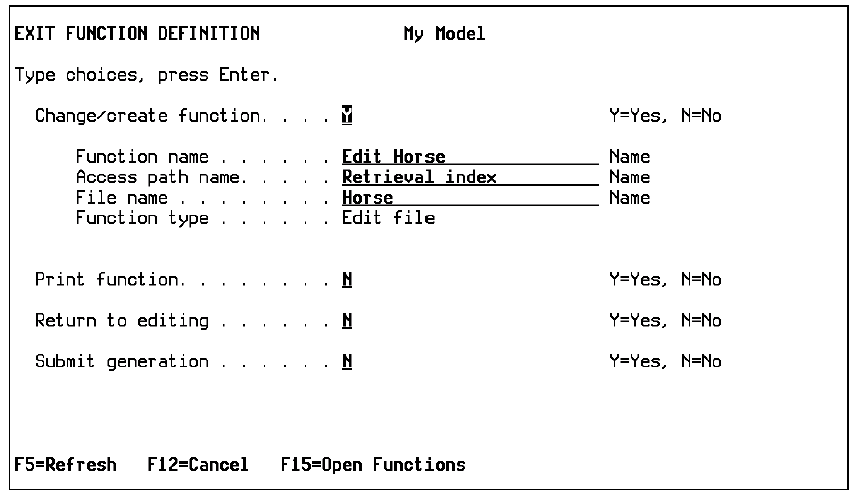
- Specify the function you want to create. Type Y in the Change/Create field. You can change any underlined field, including Function Name, Access Path Name, and File Name.
- Press Enter. This creates your new function.

