

|
|
|
At the Edit Action Diagram panel, press F3 to exit a single function. Alternatively, at the Open Functions panel, type X against an open function.
The Exit Function Definition panel appears.
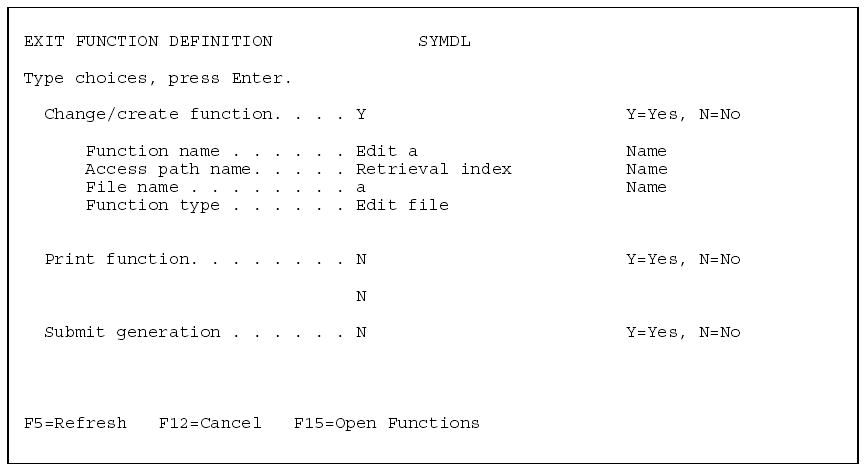
The default value for the Change/Create Function option depends on the setting of the Default Action Diagram Exit Update (YACTUPD) model value; it does not depend on whether you changed the function unless YACTUPD is set to *CALC. As a result, if you want to save your changes, be sure this value is Y before you press Enter.
If YACTUPD is set to *CALC, the Change/create function option is set to Y only when a change to the function’s action diagram or panel design has been detected.
| Copyright © 2011 CA. All rights reserved. | Tell Technical Publications how we can improve this information |