

|
|
|
CA 2E has a feature that gives you the ability to record and play User Defined Macros (UDM) from a Web Option page at run time. User Defined Macros allow any user to pre-record keystrokes for any screen at any position. There can be multiple macros defined for the same screen or field combination.
Note: Macro and Script are used synonymously in this appendix. A User Defined Macro is simply a script by another name, but is not the same as a Macro button defined in the section Web Option HTML Input Element Format.
From versions of Web Option prior to r8.5, the following changes were made to the way scripts are stored as a result of the implementation of UDM support:
Note: If you have added a new script member for a user to YSCRIPT, you must end and restart the web option server for the scripts to be available for that user in a web option session.
You can add UDM support to the skeleton through a new system tag (_xSCPLST). Use the the customization element named *SCPLST to add to a screen element on the function Header. This ensures the _xSCPLST tag is inserted in the skeleton. Otherwise, you can make a change to the MLS Syntax file or edit the skeleton after generation.
Note: If you are adding the _xSCPLST tag manually, ensure you add it after the <form method….> HTML line.
When the Web Option Server processes a skeleton containing the (_xSCPLST) tag, the following additional processing is initiated:
For more information about the available control options, see Control Options.
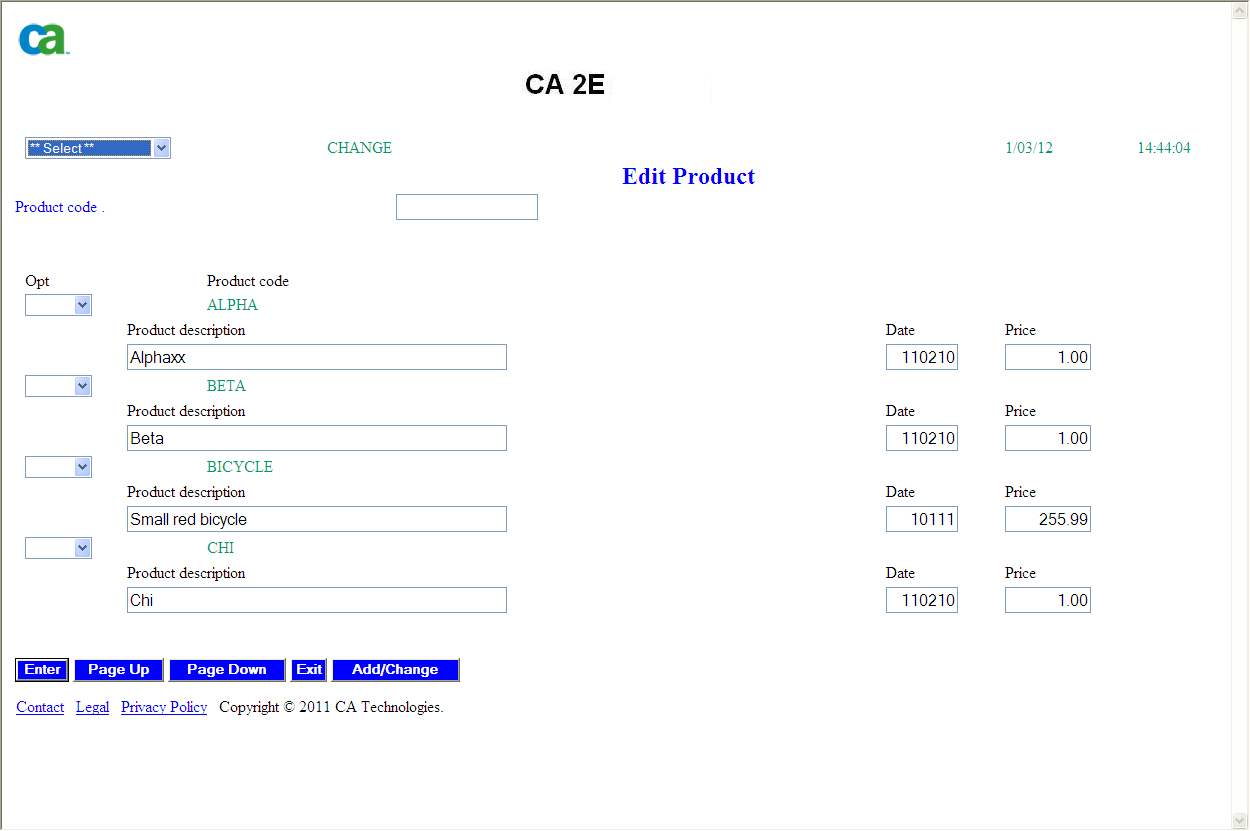
The following example shows the Script Selection DDL:
You can also expand the Script Selection DDL:
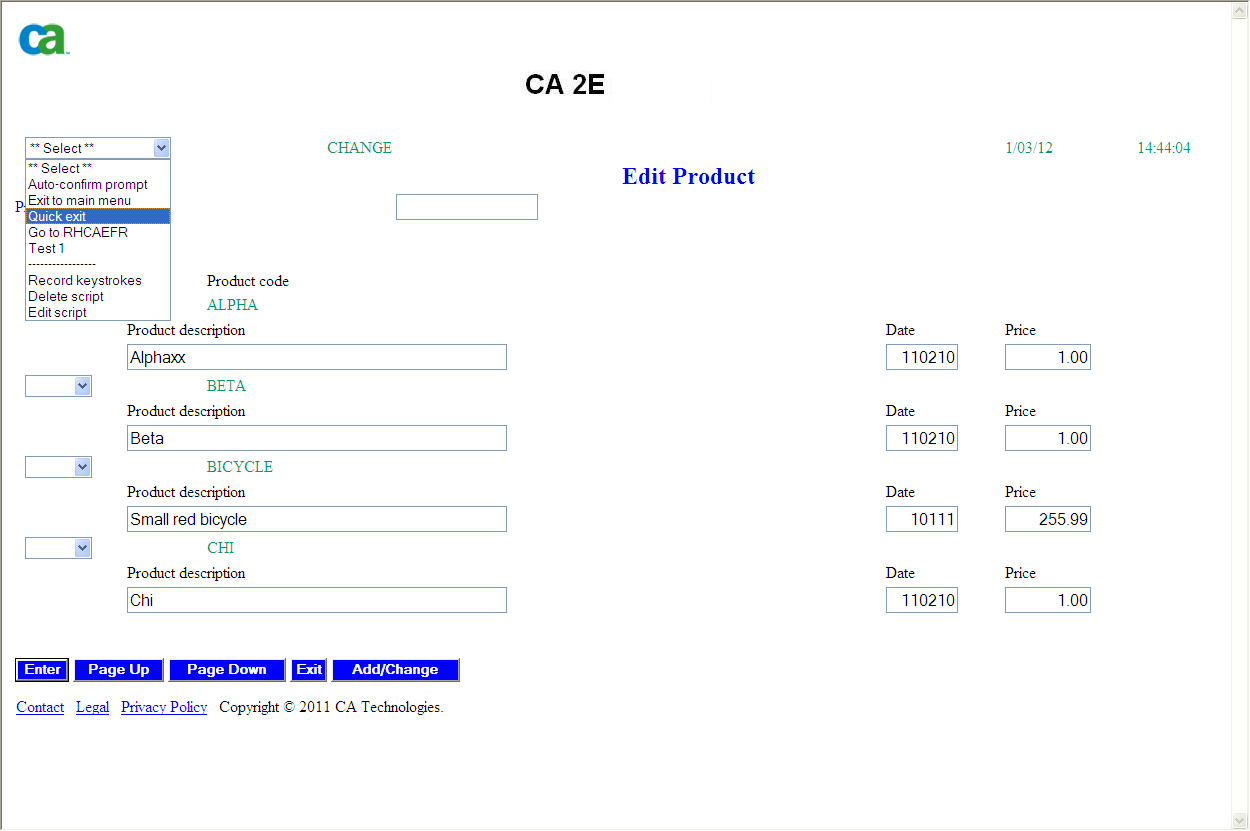
Note: In this example, you have *ALL authority. As a result, the Record Keystrokes, Delete Script, and Edit Script options are shown at the bottom of the Script Selection DDL.
| Copyright © 2011 CA. All rights reserved. | Tell Technical Publications how we can improve this information |