

|
|
|
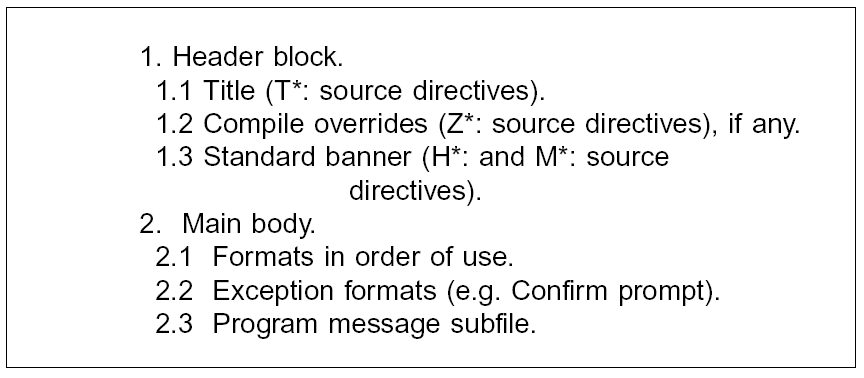
This example shows the standard layout for all sources:
If several formats are to be displayed at a workstation at the same time by overlaying, use a value of DFRWRT(*YES) when creating the display file with the OS/400 Create display file (CRTDSPF) command. This prevents there being a flash as the separate formats are overlaid, and is also more efficient.
The CA 2E Toolkit Compile pre-processor can supply the necessary compiler overrides automatically:

The PRINT key should be allocated on all panels: it should normally be assigned to a print file called YPRTKEY$. This allows you to separate out print key output, which is usually wanted locally and immediately, from other system print output.

Use the DDS INDTXT keyword to document special indicators. You should also specify text for each command key and each DDS SETOF statement.

Note: Wherever possible, use indicators in a standard manner; for example, 30 for HOME and 31-70 for field indicators. Do not use the alphabetic indicators (KA-KG).
For more information on standard indicator usage, refer to the section, "Coding Standards for HLL Programs".
The alternative roll keys should be enabled so that scrolling can be done on workstations with roll keys.

Enable the HELP key so that UIM help operates. You should also enable ALTHELP. Declare a search index—use the system one if you do not have one for your application.

Sub file sizes can be kept to a minimum by sizing them to be self- extending; for example, SFLSIZ = SFLPAG + 1.
A subfile should stay positioned to the page last displayed by the user, unless a validation error occurs, in which case it should be positioned to the first page containing an error.
Make use of SFLNXTCHG with READC facility to reduce the number of records that must be re-read to validate a subfile.
| Copyright © 2011 CA. All rights reserved. | Tell Technical Publications how we can improve this information |