

|
|
|
Program layout should be standardized. In order to reduce the time programmers need to spend looking for information, place the same type of information in the same relative location within the source. For instance, entry parameter definitions should be at the beginning, and general error handling at the end. The following is a generalized order for an HLL program:
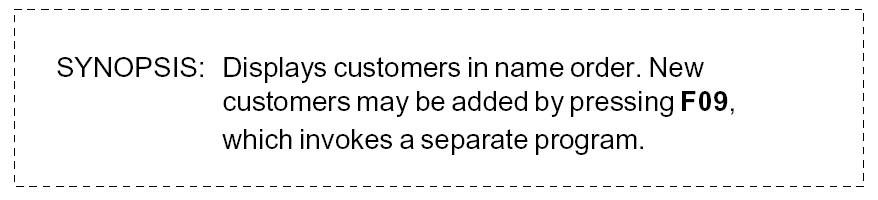
Programs should be self-documenting. All programs should contain a synopsis of function as Header (H*) source directives entered as comment lines at the beginning of the program. There should be comments through the program, making the overall structure clear. The synopsis should be sufficient to establish the purpose of the program. The synopsis will be extracted by the CA 2E Toolkit documentation utilities. For example:
For more information, see the Toolkit Concepts Guide.
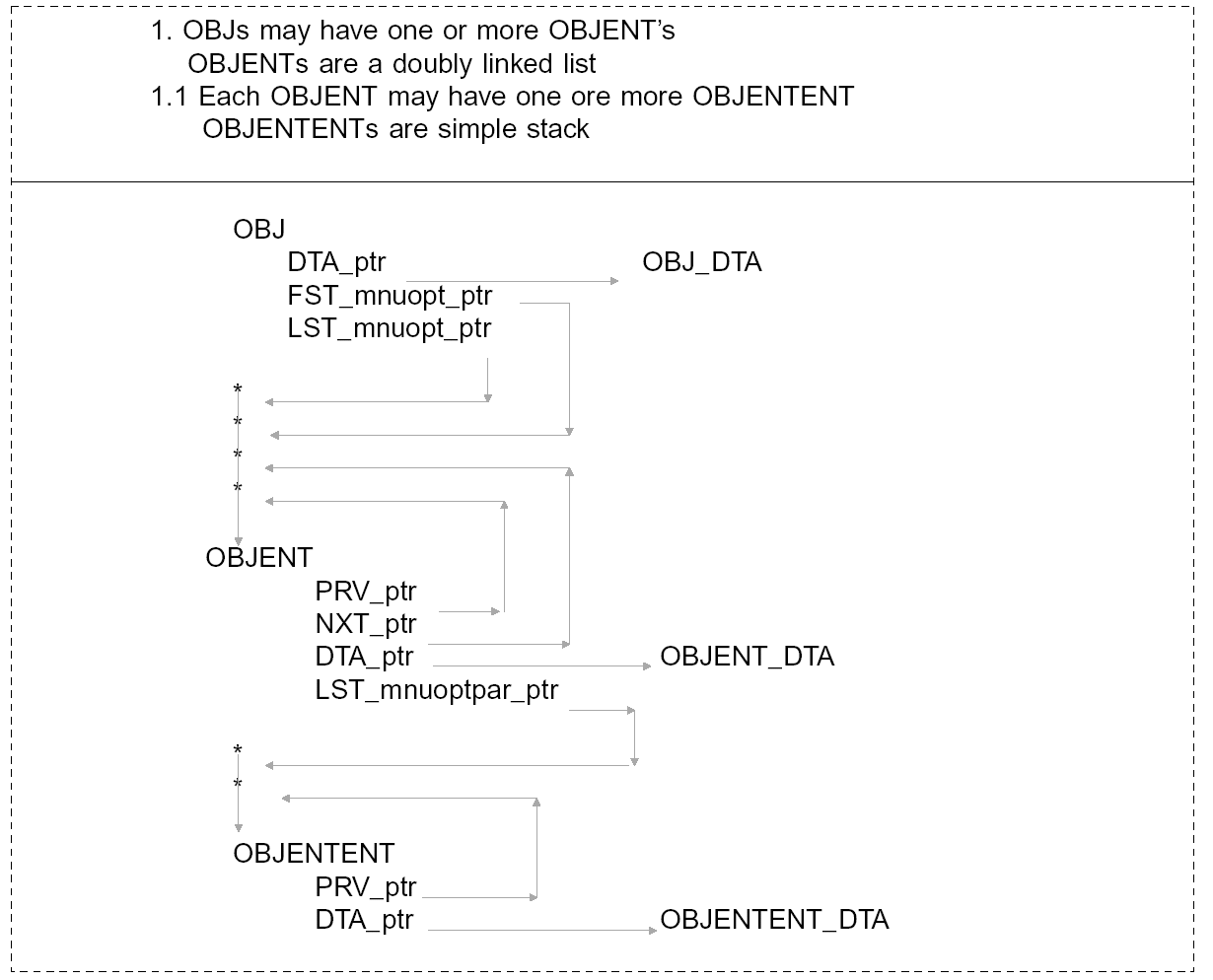
It is particularly important to document the relationships between data structures. You normally need to understand the structures used in a program in order to understand the program. When a structure is itself an element of another structure, provide diagrams to illustrate the relationships, for example, in PL/1 source.
The following is an example of a pointer-structure diagram:
Document programs with summary comments so that it is possible to determine what is being achieved, without going into detailed code. For example:

The overall effect should be such that reading the comments should give an overview of the program: structured English or pseudocode conventions may be useful.

Code and document your programs so that they can be read top to bottom. For instance, consider the following two ways of coding the same control structure:
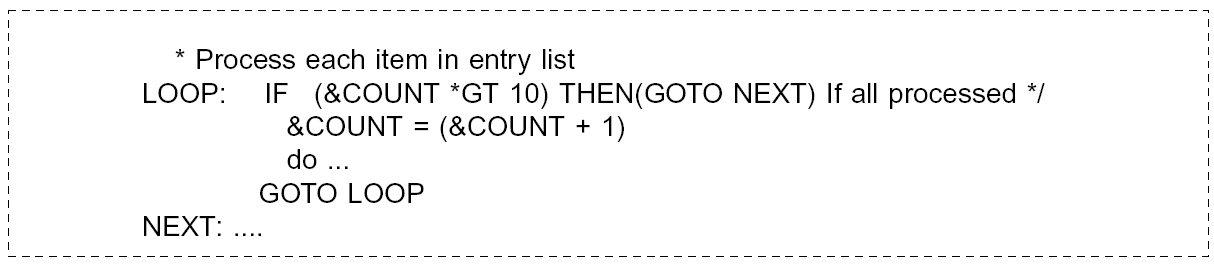

The second way of coding the structure should be easier to follow because the test condition is at the beginning. This is especially true if there is a significant amount of intervening code within the loop.
Always write documentation at the time of development. This is not only to ensure the documentation is written, but also because writing the documentation as you go along should serve to clarify your thinking and make it easier for you to program.
Documentation should always be concise and relevant. Too much documentation is almost as useless as too little. Avoid repeating what is already evident from the context, and try to make comments add meaning, rather than just repeating the obvious.
Document call interfaces carefully. The parameters, including allowed values for a program, should be documented so that the program can be used with reading the internal documentation.
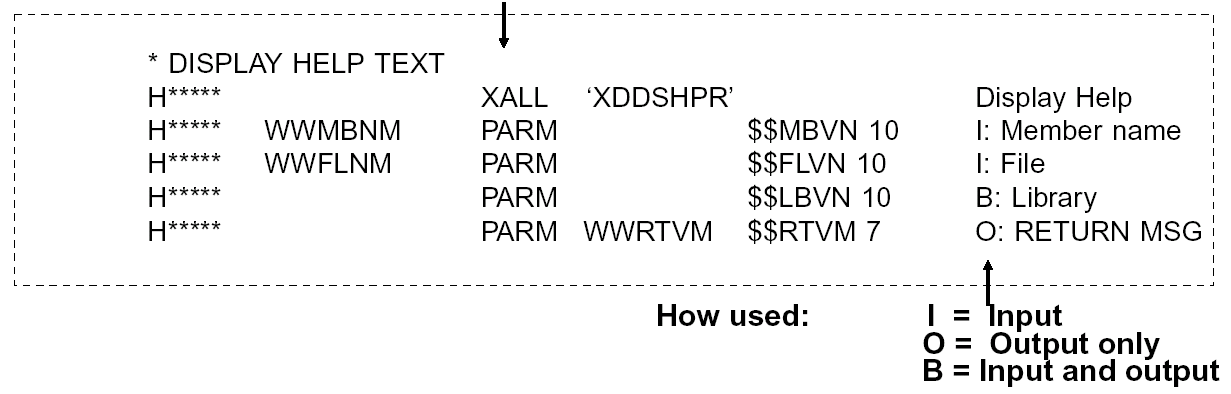
If a program is called from many different places, its entry parameters should be documented within the program source by means of a dummy call. The correct code needed to invoke the program can then be included in the source of a calling program by means of the "browse-copy" facilities of SEU.
The following is an example of coding dummy ENTRY call: RPG program "Dummy" call:
Specify the names of called programs with literals. This will give better documentation. For example,
CALL PGM(‘XXUSX’)
and not:
CALL PGM(&PGM)
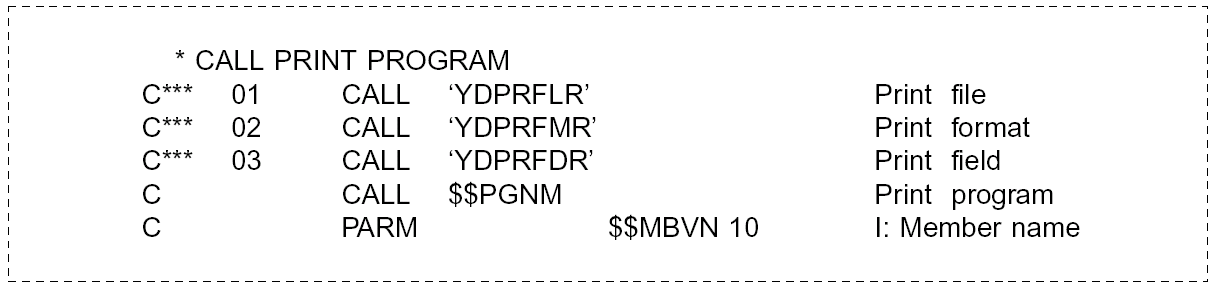
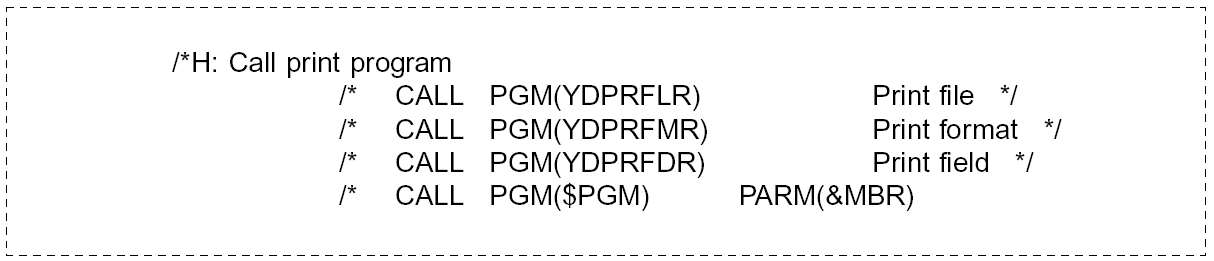
If a program name must be a variable, consider placing dummy statements with all the possible values coded as literals. The dummy statements will cause the correct program linkages to appear in the output of the CA 2E Toolkit Document program (YDOCPGM) and Document execution references (YDOCEXCREF) commands.
The following is an example of coding dummy call statements.
In RPG III:
In CL:
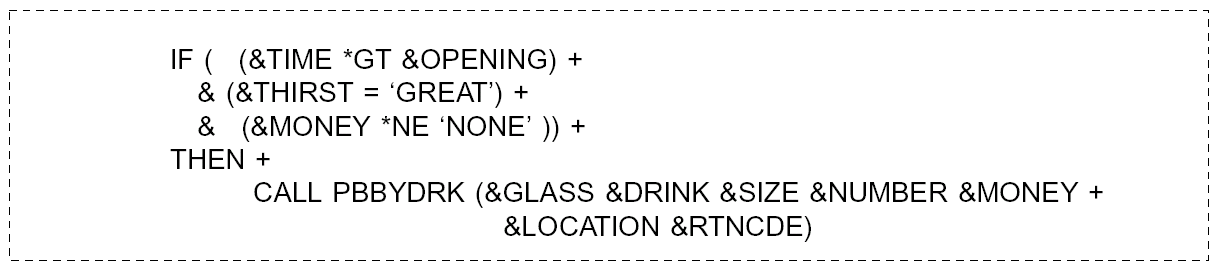
Note: Keep subroutines small (two to three pages at most). Avoid heavy nesting (four or five layers at most). This can be done by introducing routines, and/or using CASE constructs rather than nested IF THEN ELSES. Use spaces to make code readable.
For example, not:

But rather:
Use parentheses to make clustering obvious. For example, ‘A=(B+1)*2’ is preferable to ‘A= B+1 * 2’.
Avoid tests on negative conditions. Double negatives are harder to follow.
Company Name— The company name used on system reports, display panels, and other places should be picked up from a data structure. The data structure should be called YYCOTXA, and have 30 characters. This allows for easy changing in the event of legal changes, takeovers, etc.
RPG III code to include company data area:

CL code to include company data area:

Date Handling—A lack of standardization in the format in which dates are displayed to users (YMD, DMY, MDY) is a common source of confusion, especially in multinational application systems. When you are programming to handle dates, meet the following objectives:

It should be noted that there is an OS/400 system value (QDATFMT) that specifies the display format for dates. Recourse to this value should be made when handling dates for display or for entry.
Given the above considerations, the following standards should be adopted to ensure that dates are correctly handled:
Program Interfaces—Do not pass long lists of parameters between programs; instead, pass them as a single parameter. Break up the single parameter into individual fields, using an externally defined data structure in the calling and receiving programs. This is more efficient in execution (each parameter requires 512 bytes) and easier to change.
| Copyright © 2011 CA. All rights reserved. | Tell Technical Publications how we can improve this information |