

|
|
|
Help text should be created and edited, using the UIM help manager. As well as being consistent with OS/400 System panels, UIM allows windowing, hypertext links, a layered interface, search indexes, and is also fast.
OS/400 UIS conventions for Help text should be followed. These are specified in the OS/400 Guide to Programming Application and Help Displays. As well as overall rules, there are specific additional conventions for commands, menus, and interactive panels.
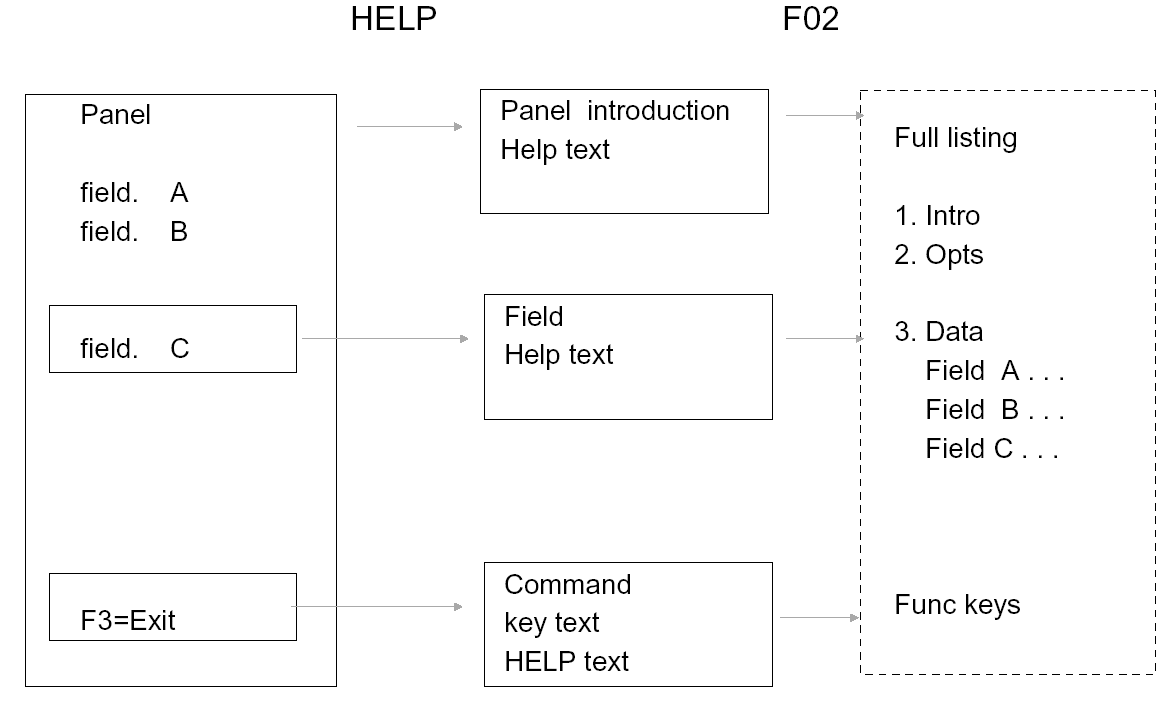
Help text should have different entry points—panel level, area level and field level. It should be possible to navigate between different entries regardless of entry point. The UIM help manager will provide this function automatically.
A sample Help Text Panel Connection is shown as follows:
| Copyright © 2011 CA. All rights reserved. | Tell Technical Publications how we can improve this information |