IBM i General Design Standards › Design Standards for Printer Files › Notes on Report Design
Notes on Report Design
Remember the following points when designing reports:
- If a report relates to a panel, for example if it provides a hard copy listing of a particular panel, then its layout should resemble as closely as possible the panel from which the information is derived.
- Use a standard flow of information and a standard layout for similar types of reports.
- Design reports to minimize the amount of manual attention required from an operator to change paper, align forms, etc. For instance, try to use standard forms, and if a different form is required, avoid a change to the left paper feed tractor to align the paper.
- Group related fields together. For instance, place Customer code with Customer name and Customer commencement date.
- Provide explanations of code values alongside the code, essential for a user unfamiliar with the system (for example, the equivalent of a slow path).
- Where descriptive text and field are on the same line, use a dot trailer and place a colon between the text and the field that it describes. Leave adequate space for translation. For example:

- Design to minimize the number of print lines and carriage returns, but avoid "two up" reports if possible, as they require extra programming. For example:

- Include the program name on reports in order to facilitate error correction.
- Number all report pages.
- Place the company name on all reports—the name should be retrieved from a data area.
- Indicate the program of software release level on the report heading.
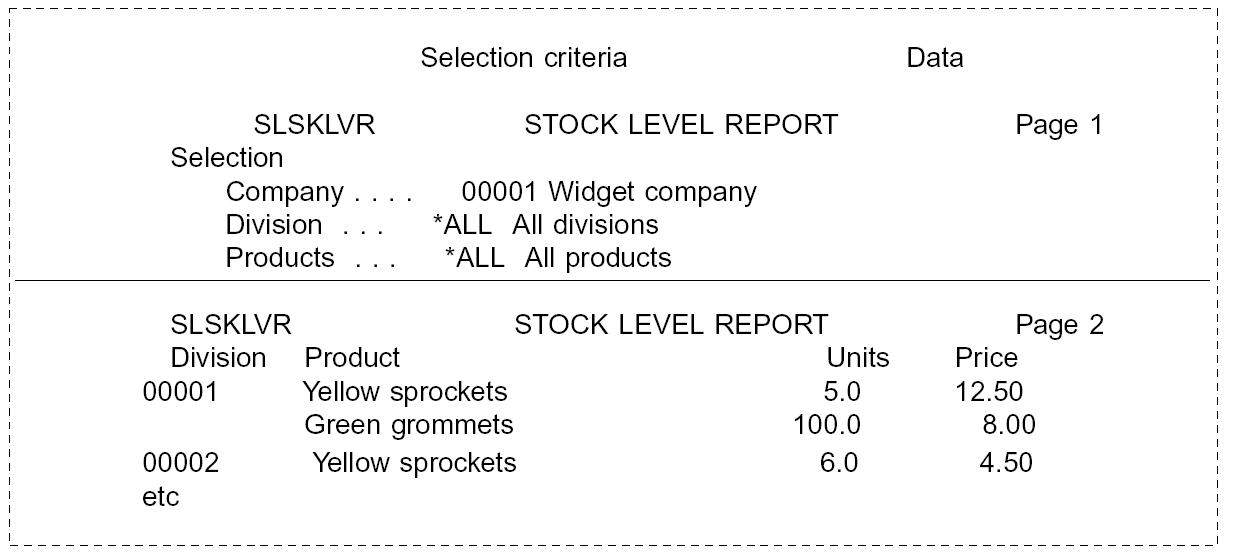
- If a report is based on particular selection criteria, print the criteria at the top of the report, so that it is clear how the information on the report was derived, as shown in the following:
If the items on shown on a report correspond to command parameters, show the keywords such as:
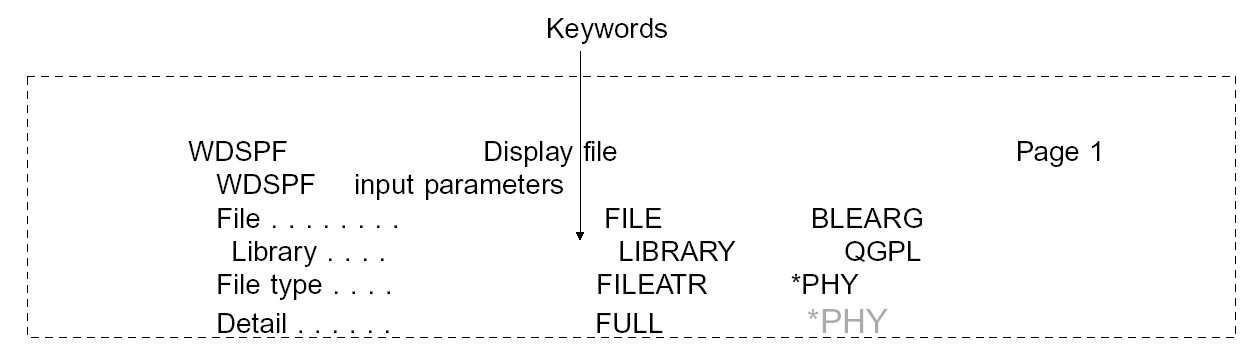
It may be useful to show the name of the main file and library used to produce the report—the name of the library in particular can be useful during testing. If it is a multi-member file, the member name may also be useful. The names can be obtained from the file information data structure.
For example:


