

|
|
|
From the Edit Model Object List panel, enter 19 in the subfile selector to work with versions for the selected function or message. The following panel displays:
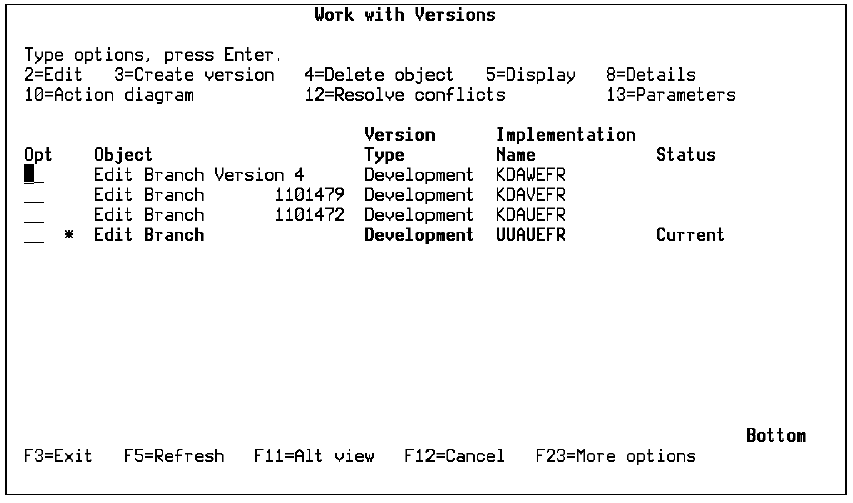
All versions in the version group are displayed in reverse chronological order; the most recently created version appears at the top of the list of entries. The current version is highlighted and has an asterisk to the right of the Subfile selector and a Status of Current.
This panel supports a wide range of subfile selection options and provides alternate views for each version. The options with similar selection values perform the same function as those on the Edit Model Object List panel. For example, from this panel you can:
For more information on the subfile select options, see the Editing Model Object Lists section in this chapter.
| Copyright © 2011 CA. All rights reserved. | Tell Technical Publications how we can improve this information |