

|
|
|
To display file entries follow these steps.
The Edit File Entries panel displays.
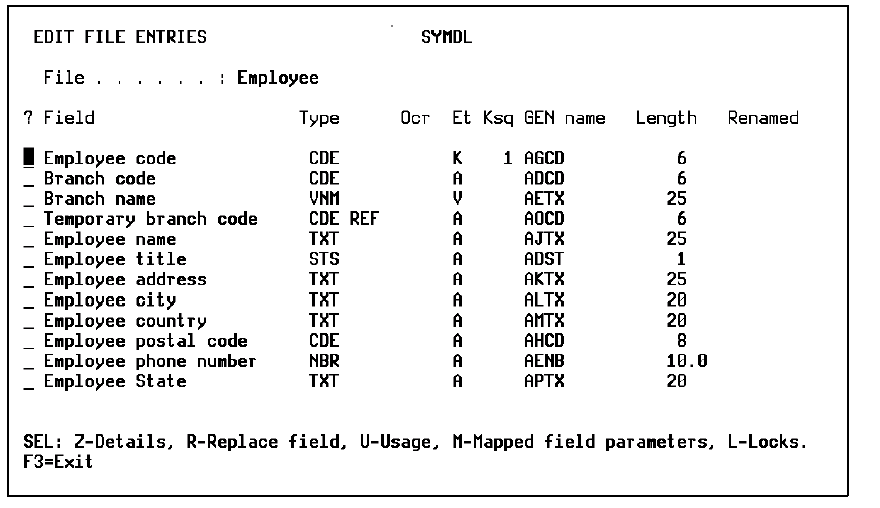
Note: CA 2E has created these entries for your Employee file as shown on the panel and indicated which entry is a key field (K), an attribute field (A), or a virtual field (V).
A key field entry is resolved from the Owned by, Known by, and Qualified by relations. An attribute field entry is resolved from a Has, Refers to , or Includes relation. The key order is indicated under the Ksq column.
CA 2E also gives each entry an implementation name and a default length according to the field type you entered for these fields.
You can document and obtain hard copy printouts of the files, fields, and relations that you entered for your model by using CA 2E documentation commands.
See the chapter "Documenting Your Data Model" for more information on documenting your data model.
| Copyright © 2011 CA. All rights reserved. | Tell Technical Publications how we can improve this information |