

|
|
|
Follow these instructions to add files:
The Define Objects panel displays. This panel allows you to create objects. You can define more than one object on the subfile panel for a single Enter key.
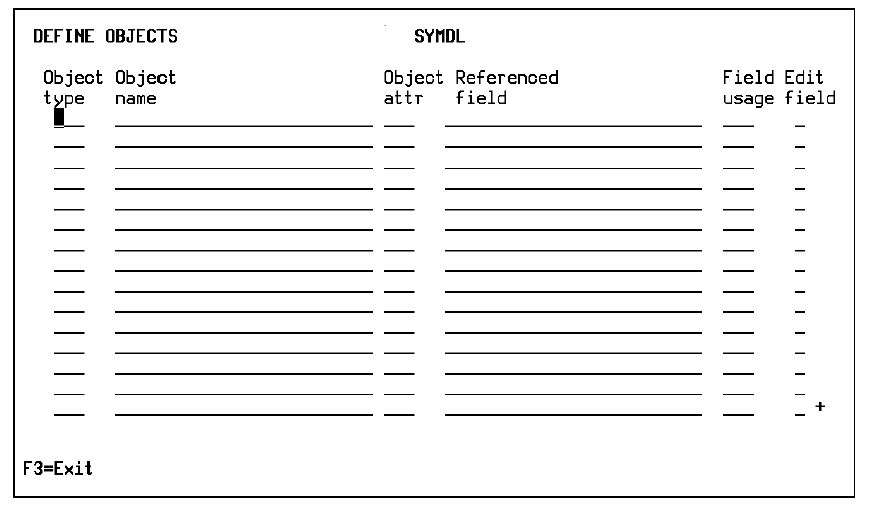
Note: If you entered information on the Edit Database Relations panel, some information may appear on the Define Objects panel.
This procedure automatically creates the Defined as relationship to declare the existence of the file.
Note: The two-character identifying mnemonic lets you define a maximum of 684 files. If you exceed this number CA 2E displays a message instructing you to reset the Last Used File Prefix (YFILPFX) model value and to supply a new object prefix for your model.
To do so run the following commands:
YCHGMDLVAL MDLVAL(YOBJPFX)
VALUE(new-object-prefix)
YCHGMDLVAL MDLVAL(YFILPFX)
VALUE(*RESET)
Note: The first of these commands causes all new objects to begin with the new object prefix. The second command reinitializes the identifying mnemonic for files to AA. As a result, all subsequent file names will be unique
For more information on the YCHGMDLVAL command and model values, see the CA 2E Command Reference Guide.
| Copyright © 2011 CA. All rights reserved. | Tell Technical Publications how we can improve this information |