

|
|
|
This section describes how you define the external function EEF RTV Order (Order detail) including the parameter interface and action diagram business logic. The EEF RTV Order (Order detail) retrieves information about an order. Given an input of an order number, the function retrieves information about the order header, and all of the order detail lines. The order detail lines are represented using a multiple-instance array parameter.
The key concept is to populate the multiple-instance array parameter (PR3) with order detail lines from the database. Typically, you can obtain database information using a function of type RTVOBJ. However, the RTVOBJ cannot directly access the (PR3) parameters of the EEF. With CA 2E Release 8.6.00, a multiple-instance array parameter can only be defined on functions of Execute External Function and Execute User Program.
A RTVOBJ call might be placed in a loop to retrieve one order detail line at a time into the, LCL context for example, and then the information could be moved from the LCL context to an element of the multiple-instance array (PR3) on the EEF. However, multiple calls to a RTVOBJ based over a database access path is undesirable from a performance point of view. Moreover, if the order detail lines do not exist with some contiguous key or positioned, additional code will have to ensure that each order detail line is retrieved.
We address this issue as follows:
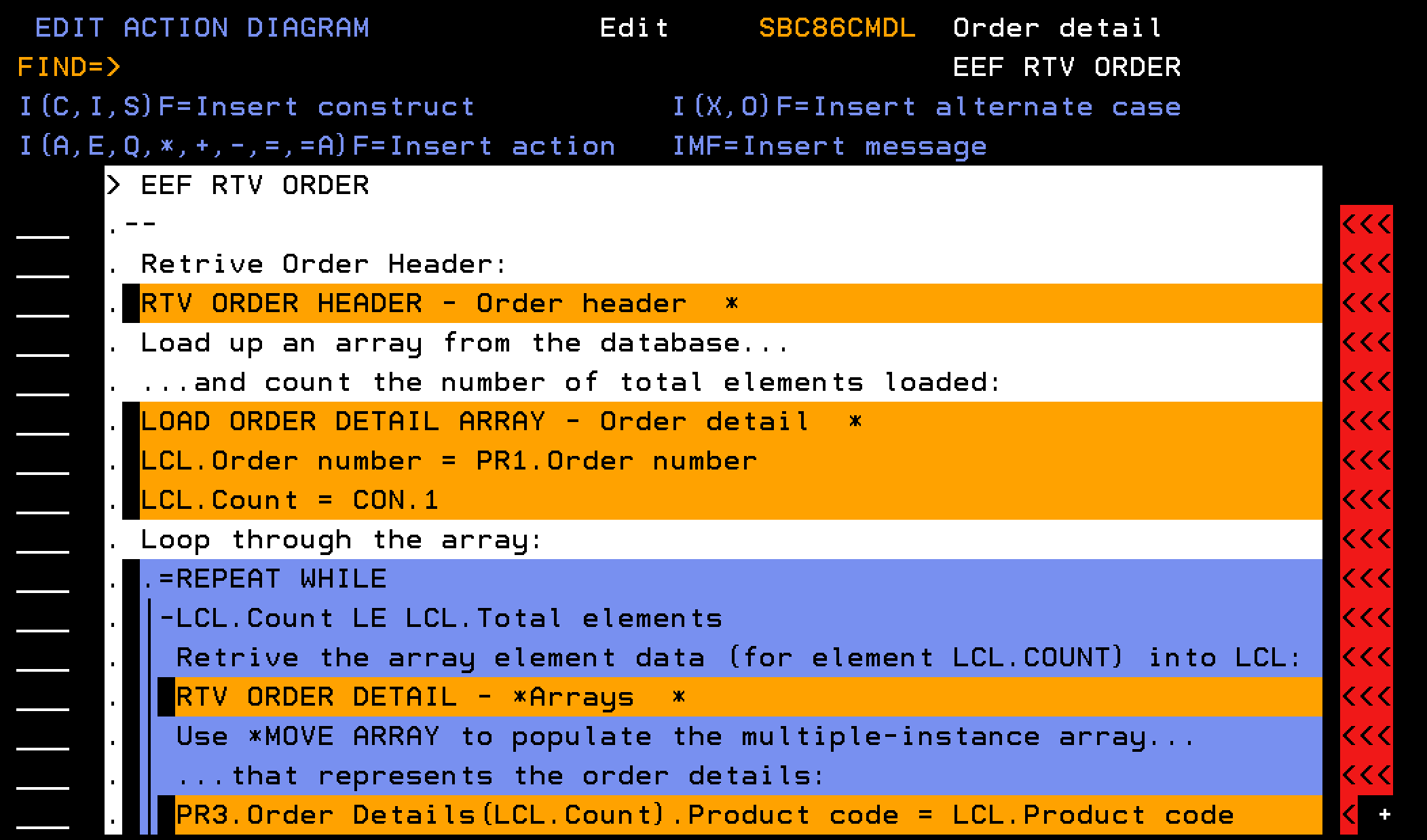
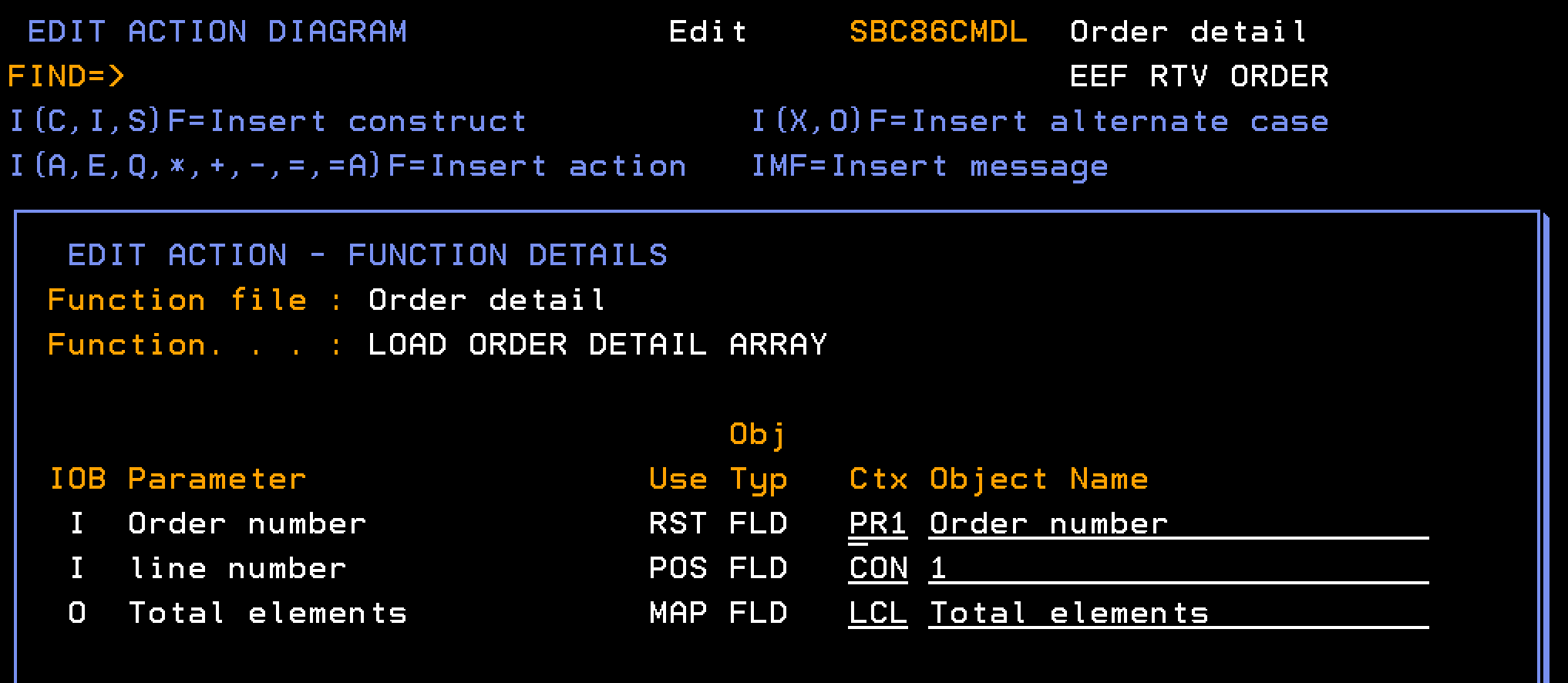
From the AD of the EEF call a RTVOBJ, named LOAD ORDER DETAIL ARRAY, based over a database access path (Order detail) one time, and for each order detail record, create an element in an array.
Note: The array has the same structure as the order detail record, but has an additional key field of Element number.
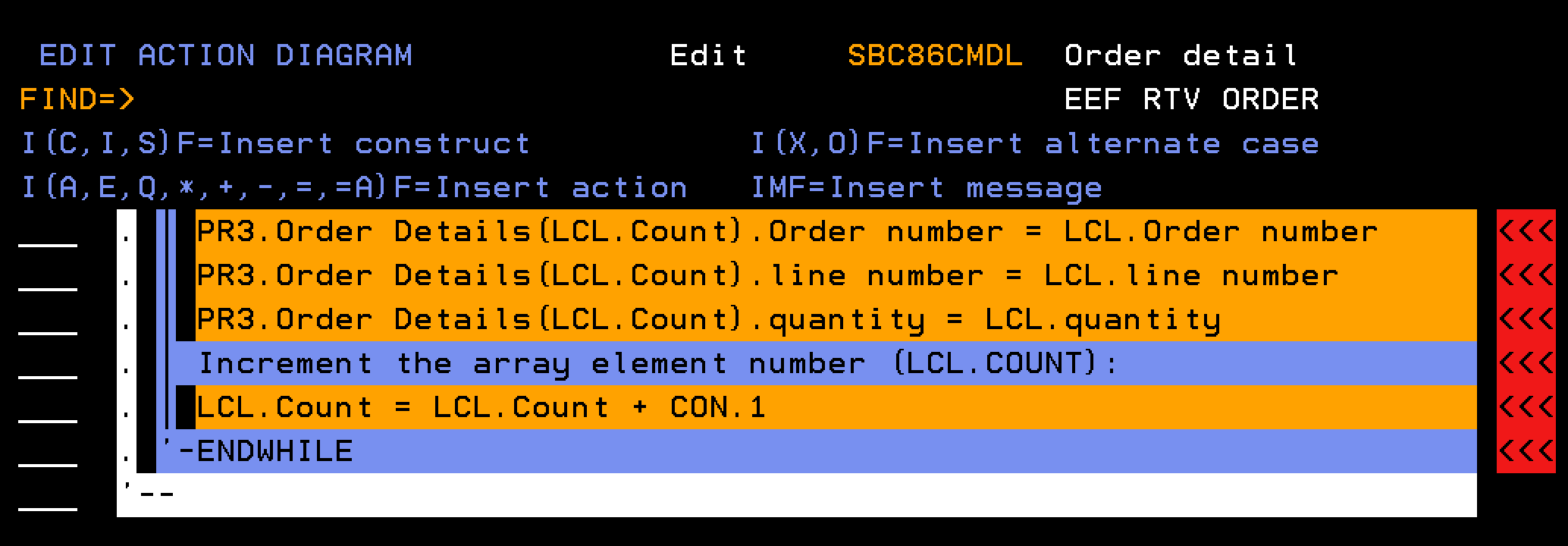
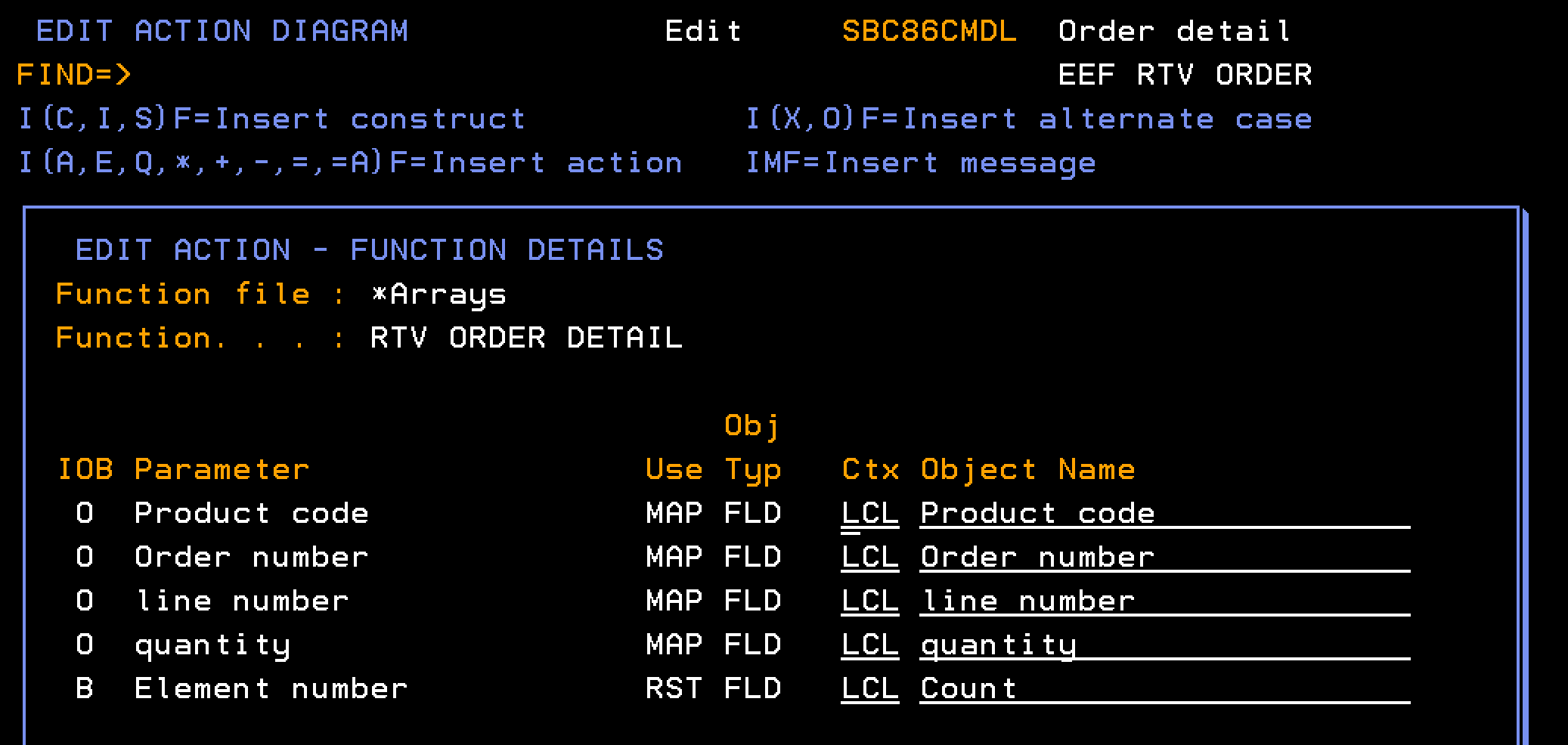
Once the Array is created, a loop in the EEF can step through the array and call a RTVOBJ, named RTV ORDER DETAIL, based over the Order Detailsarray to recall one element at a time to the LCL context.
The data in the LCL context that represents a single order detail record can then be populated into multiple-instance array parameter (PR3) of the EEF that represents the order detail lines. This move from the single-instance LCL context to a multiple-instance context can be achieved with the *MOVE ARRAY function.
This approach has the benefit that the processing is faster than multiple RTVOBJ (database) calls and the looping through the array in memory overcomes any gaps between order detail line numbers.
The EXCEXTFUN function type can be deployed as a *MODULE, which allows it to be bundled into Service Program and deployed as a web service. Thus a single invocation of the web service can retrieve all the information regarding the order header and all order detail lines.
Follow these steps:
Notes:
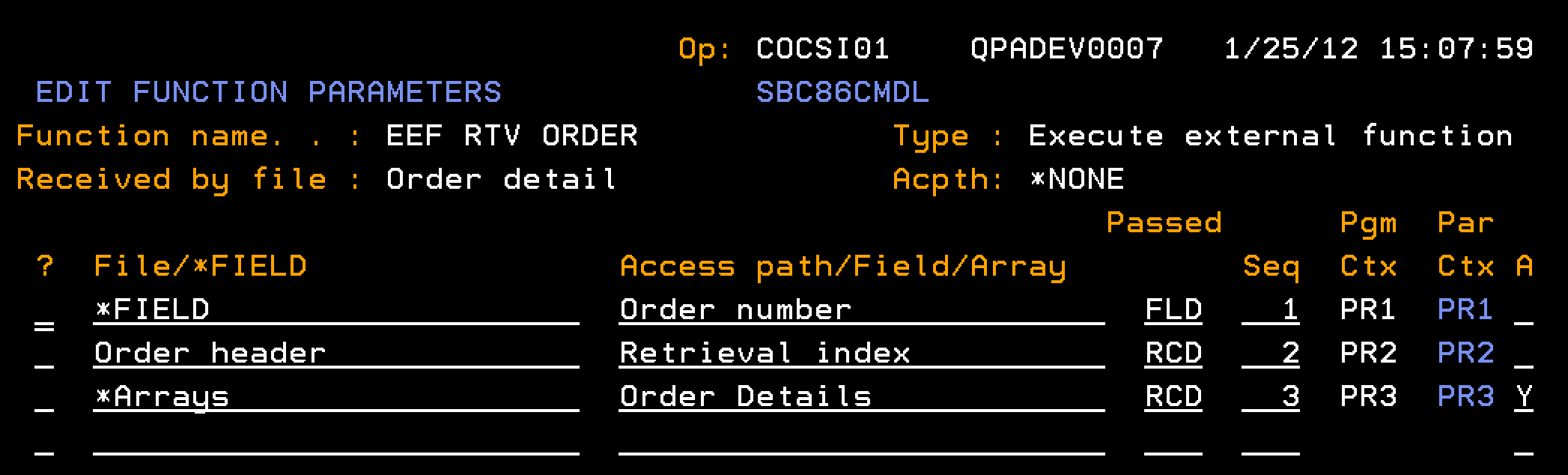
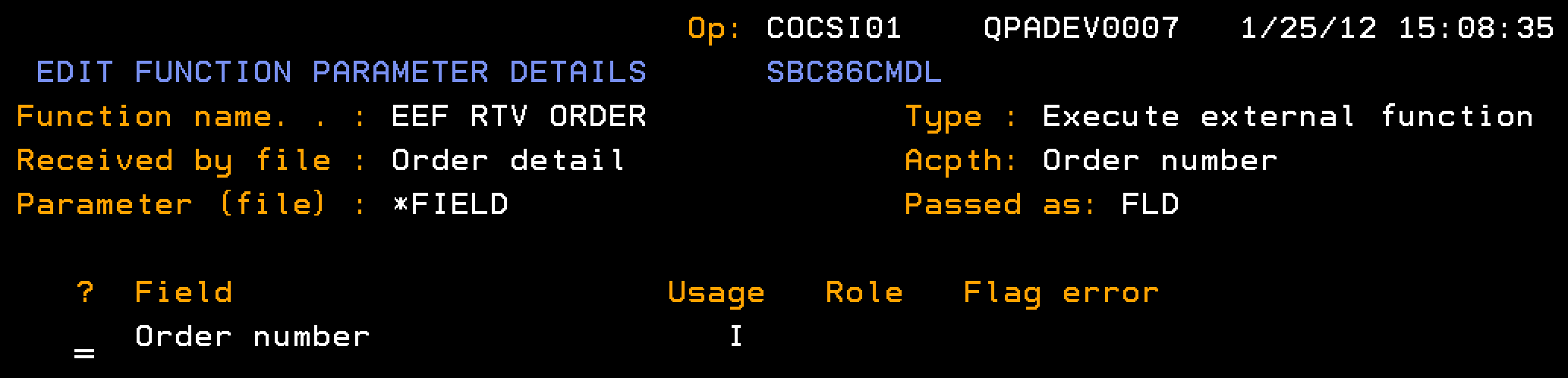
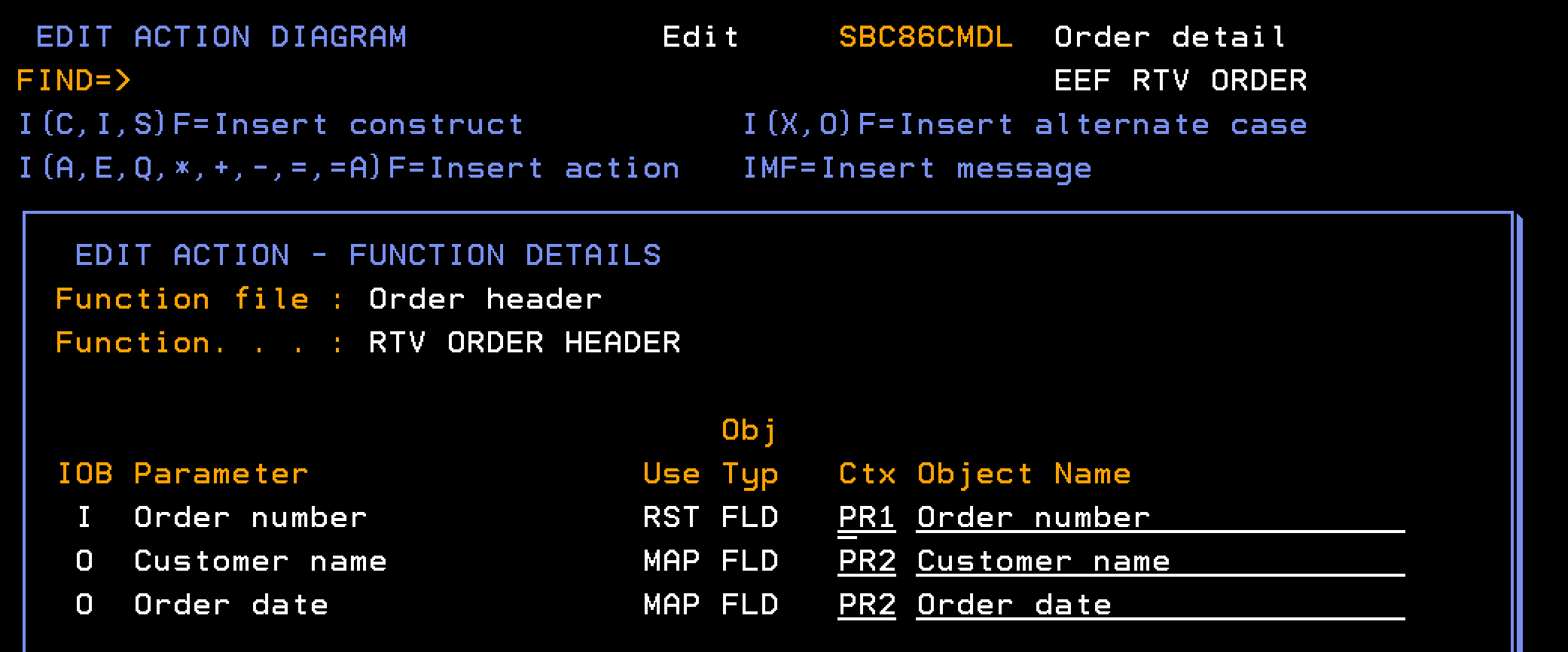
Indicates the input parameter for the Order number, passed as a field (FLD), from which the Header and Detail are retrieved.
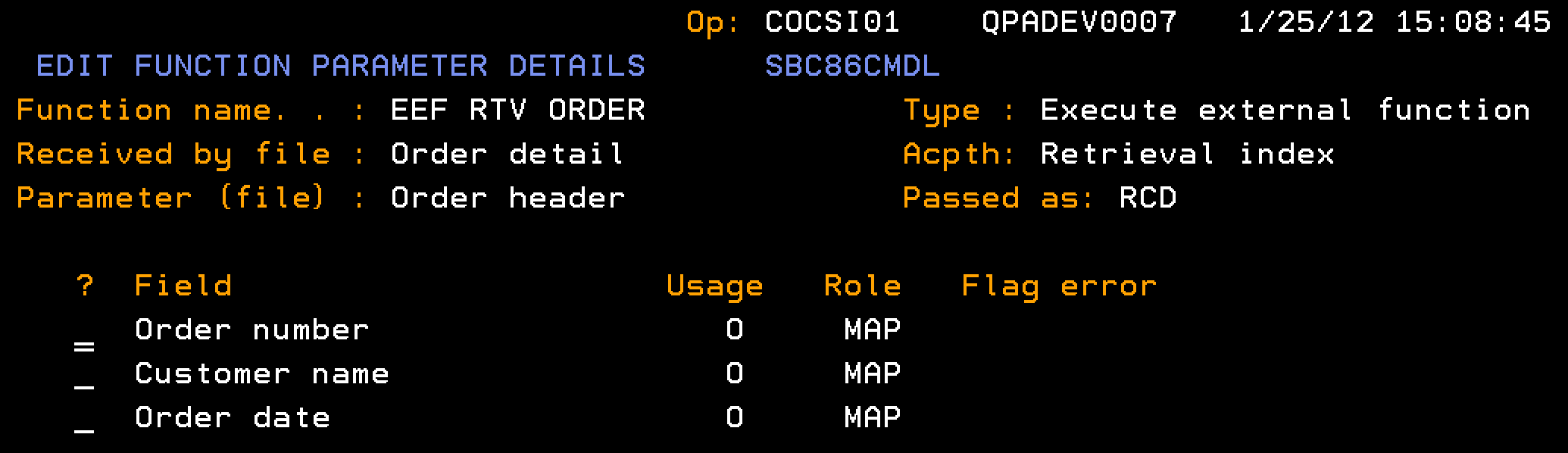
Indicates the output parameter for the Order Header, passed as a record format (RCD), which is populated with the single-instance data for the Order Header.
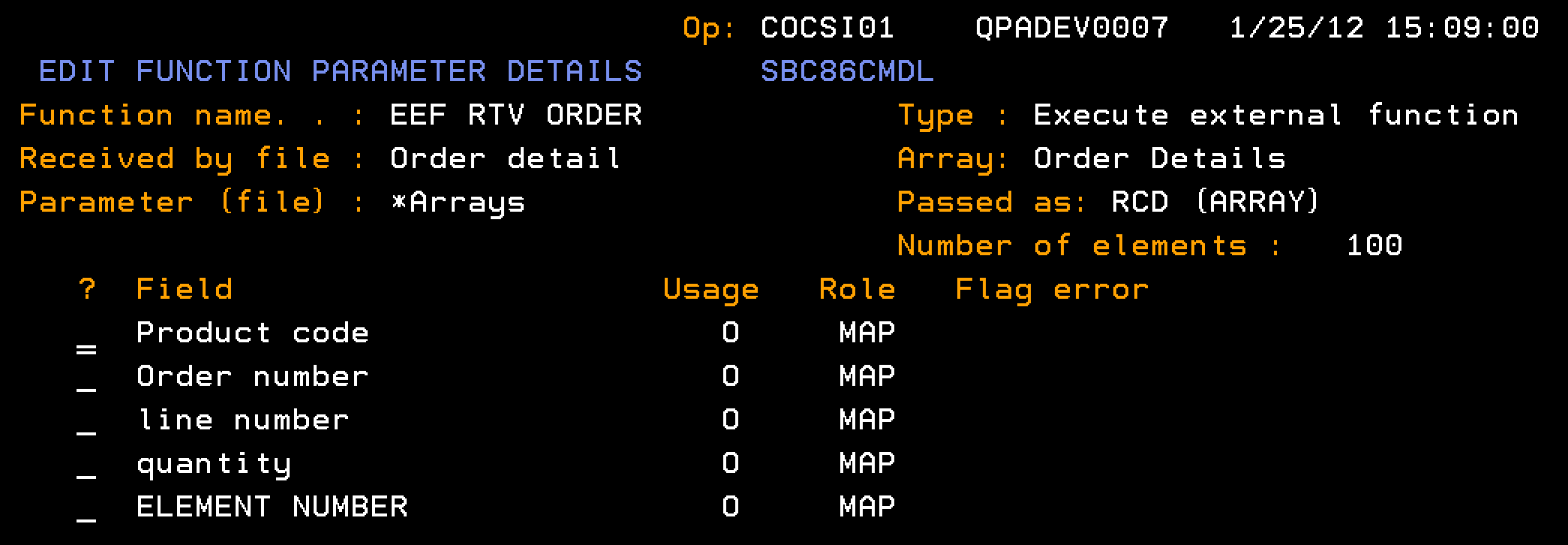
Indicates the output parameter for the Order details array.
Note: This parameter is marked as being a multiple-instance parameter, so multiple order detail records can be contained within this one parameter. If the A(Pass as Array) field is marked as Y, before usages have been specified on the EDIT FUNCTION PARAMETER DETAILS panel for the fields of this parameter a warning message will be sent: Y2V0717 A (Pass as Array) cannot be set to 'Y'.However, you may leave the field set to Y and zoom into the parameter to specify usages.
Notes:
| Copyright © 2011 CA. All rights reserved. | Tell Technical Publications how we can improve this information |