

|
|
|
Edit Mask allows input capable fields to contain format characters that are ignored. For example, in the formatted phone number field, "(_ _ _)_ _ _-_ _ _ _", when the user enters data, the cursor skips the protected format characters. If Mask input is set to Y then each non-blank character in the selected edit code is masked. The value 0 is not masked. If the field containing the edit mask is initially displayed with no data, then the masked characters do not display but the cursor still skips over the protected positions. When the field is redisplayed with data, the masked characters appear.
If the first character in an EDTWRD is a format character, as in the phone number example, that character does not display for NPT DDS. This is a limitation of DDS that can be corrected by allowing for an integer to the left of the left-most format character, for example, ‘0( ) - ‘; in this case you also need to increase the field length by one. Alternatively, you can create your own EDTCDE definition using the i OS Create Edit Description (CRTEDTD) command.
Note: Do not mask fields that represent a quantity or value. If an attempt is made to mask a numeric quantity, unpredictable results occur. For example, masked characters are not returned to the application, so the decimal place is lost if it is masked. The edit mask feature is intended for numeric fields that are always formatted in the same manner, such as phone number, social security number, part number, date, and time.
The edit mask option is maintainable at the field and screen levels.
Note: The edit mask option is ignored when the workstation is not attached to a controller that supports an enhanced data stream.
Edit Codes.....: Mask input edit code (Y,’ ‘)
The default value is blank, for do not mask. F10 toggles between the field control information and the appearance fields.
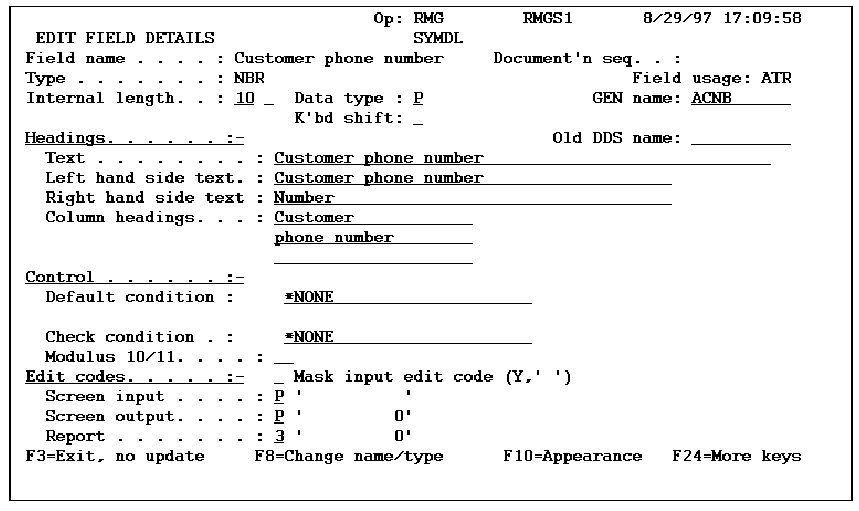
The data displays in:
| Copyright © 2011 CA. All rights reserved. | Tell Technical Publications how we can improve this information |