

|
|
|
With Web Service Support in 2E, it is possible to bundle up Web Service instances that need to be ported and deployed to a remote machine. To do this you will need to use the Web Service Remote Deployment feature. Use the following commands to utilize this feature:
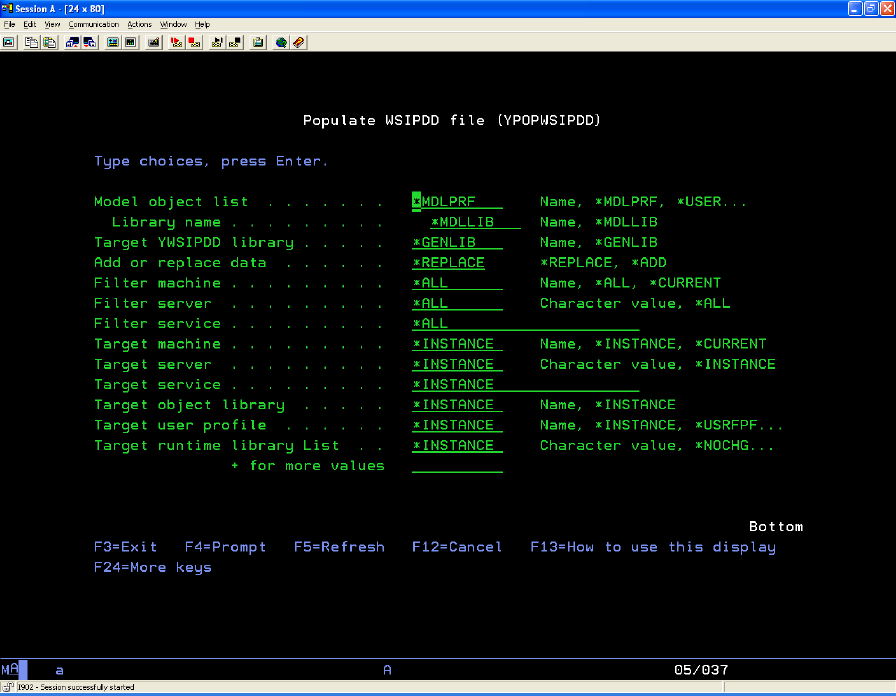
Populates a Web Service Instance Portable Deployment Data file (WSIPDD). Once populated, a WSIPDD file can be moved to a remote machine, where the related YEXCWSIPDD (Execute WSIPDD) command can process the file to deploy web service instances on that remote machine.
Notes:
For more information on how to restore the YCA structure, see the section "Web Services Support" in the Installation Guide.
The YPOPWSIDD command takes a model list as input. The model list is processed and for each function of type Web Service, additional processing occurs (items in the list that are not Web Service functions are ignored). For each Web Service function, all its web service instances are processed. Where a web service instance is not excluded due to filtering arguments on the YPOPWSIPDD command, an instance record will be created in the target WSIPDD file.
Note: The target WSIPDD file is always called YWSIPDDRFP, but the location is specified on the WSIPDDLIB parameter.
The Target parameters on the YPOPWSIPDD command allow the modelled web service instance data to be overridden when populated to the WSIPDD file.
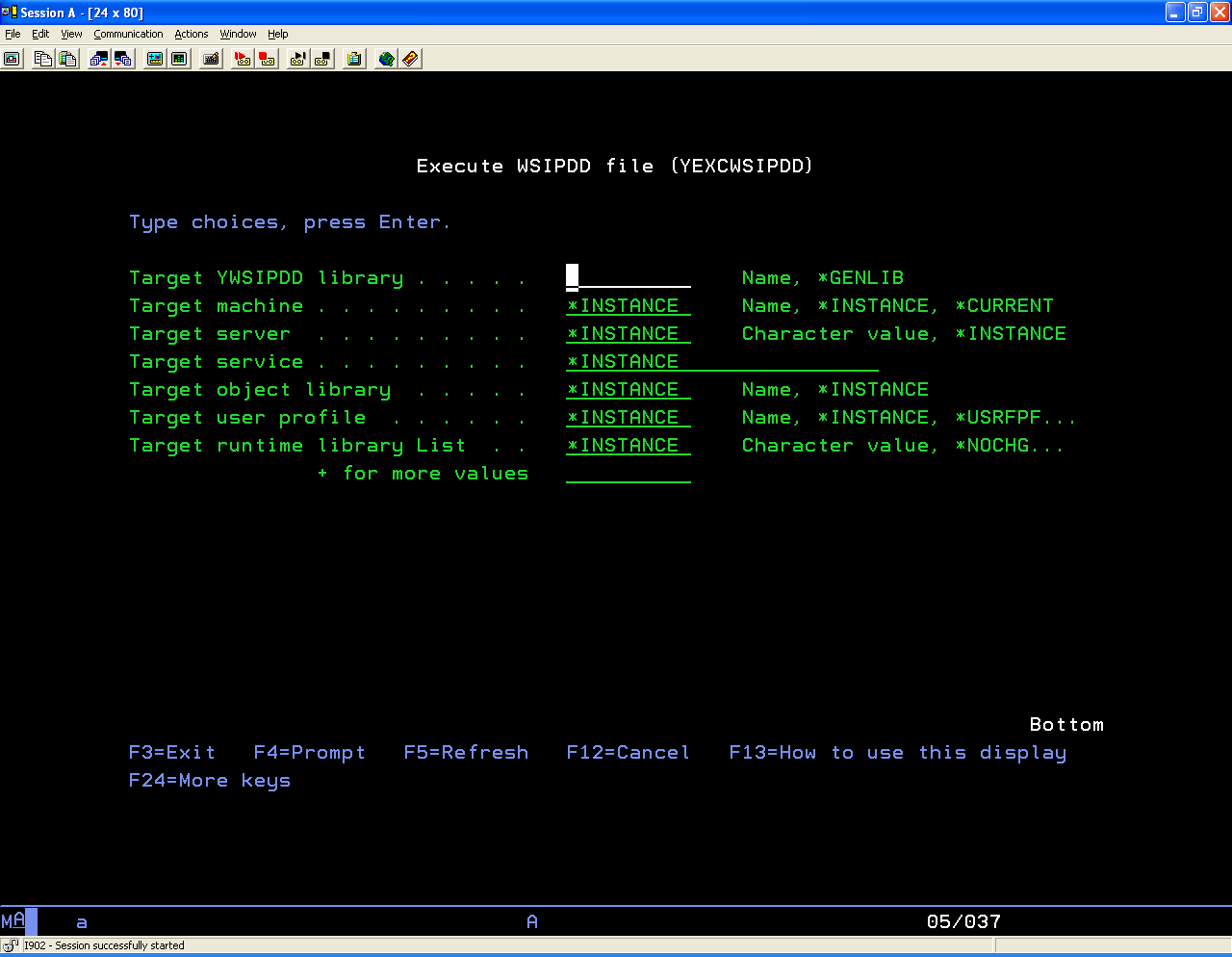
This command executes a Web Service Instance Portable Deployment Data file (WSIPDD), to deploy web service instances. The WSIPDD file should have been populated by the CA 2E YPOPWSIPDD command. Typically the WSIPDD file is then moved to a different machine to be executed by the YEXCWSIPDD command.
Note: Portable deployment does not require CA 2E or 1E to exist on the remote machine, on which the YEXCWSIPDD command is running. However, the YEXCWSIPDD command does require certain application objects to exist on the machine on which the command is running. These objects can be created in a target library using the YDUPAPPOBJ command (see the *WS argument for the DUPOPT) parameter. The YEXCWSIPDD command takes a WSIPDD file as an input.
Note: The input WSIPDD file is always called YWSIPDDRFP, but the location is specified on the WSIPDDLIB parameter.
For each record in the WSIPDD file with an ACTION flag of 'I' a web service instance will be deployed by the YCRTWS command. The Target parameters on the YEXCWSIPDD command allow the WSIPDD web service instance data to be overridden when deploying.
Note: If a web service instance is successfully deployed as a result of the YEXCWSIPDD command instance record's Action flag is updated to BLANK. The YINZWSIPDD command can be used to reset the WSIPDD Action flag.
The YINZWSIPDD command can be used to reset the Action flag on records in a WSIPDD file. See the YEXCWSIPDD command for more information.
To bundle up and deploy your remote Web Service instances
There are a number of objects that need to be created in order to use Web Service Remote Deployment. These should be created by running the YDUPAPPOBJ command as follows:
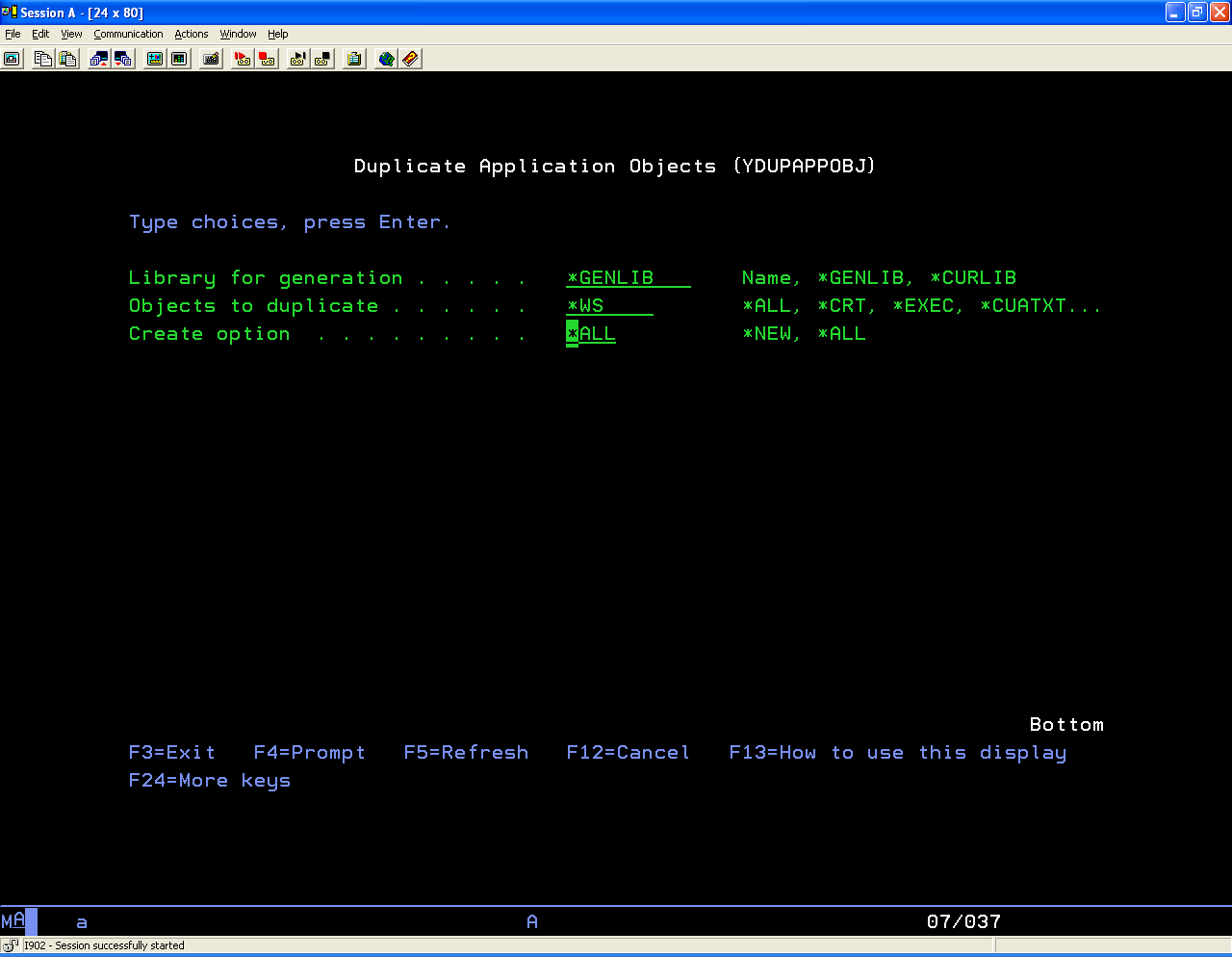
You can either create these objects into the Model Generation library, or into a new library to be used for deployment.
See the command description above for details.
The YEXCWSIPDD command calls the YCRTWS command for each record in the portable deployment file, which installs the WS Instance on that machine. If a Web Service already exists on the machine, the deployment for that Instance record will fail, and the Action field will be left as 'I'.
| Copyright © 2011 CA. All rights reserved. | Tell Technical Publications how we can improve this information |