

|
|
|
Work (WRK) context fields are useful to contain work variables for interim calculations or for assigning work data or strings in interim processing.
You can use any field in the data dictionary as a work field. You can add other user-defined fields to the WRK context by adding them to the data dictionary using the Define Objects panel.
The WRK context is available at all points in the action diagram of all function types. WRK context variables are global to the external function and so can be changed at any point by any function.
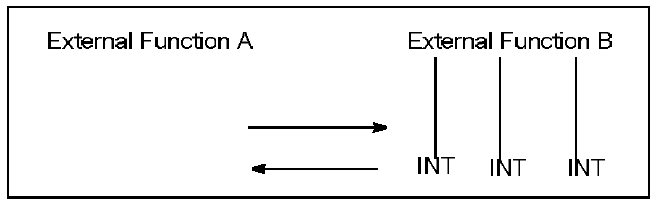
As shown in the previous example of two external functions, if you include internal functions within an external function an umbrella effect allows the internal and the external function to share the same work field. Consequently, any changes to that external function’s work field could cause changes to the internal functions.
This means that any actions or functions within the external function can change any WRK variable without being passed as a parameter. You should only use WRK variables when there are no intervening function calls that could change the values.
Note: The LCL context provides a method of defining local work variables.
For example, you could use a work field to keep a count of the number of records processed:
WRK.Counter = WRK.Counter + CON.1 <<<
| Copyright © 2011 CA. All rights reserved. | Tell Technical Publications how we can improve this information |